Capacity Exchange DAO
Search for and view the Box Subscription of an account
To search for and view the Box Subscription of an account, the user follows this guide here:
[App] The user clicks on the button “My Profile” site to view the Box Subscription
Case 1: The User doesn’t have any packages
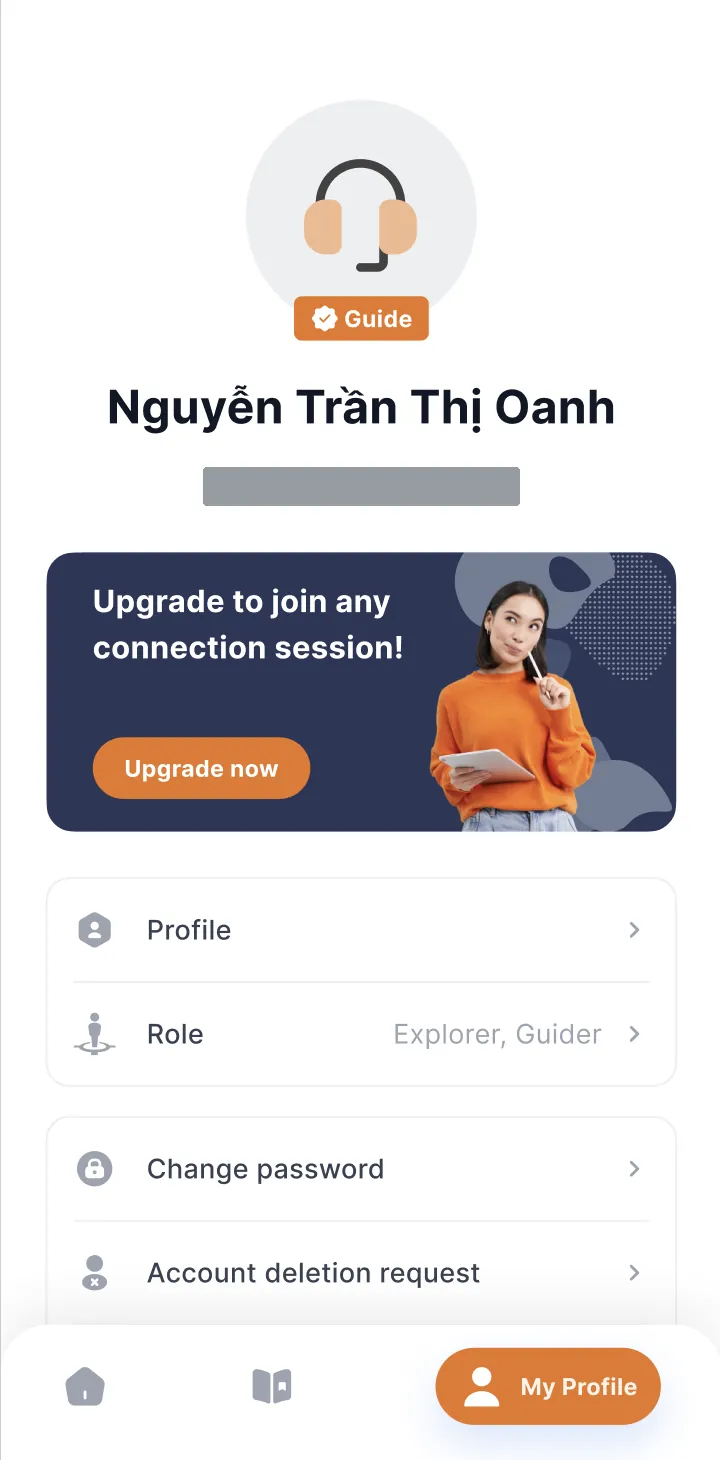
For the User without a package, the User clicks on the button “Upgrade now” -> view packages -> access https://ced.kambria.io/ to purchase
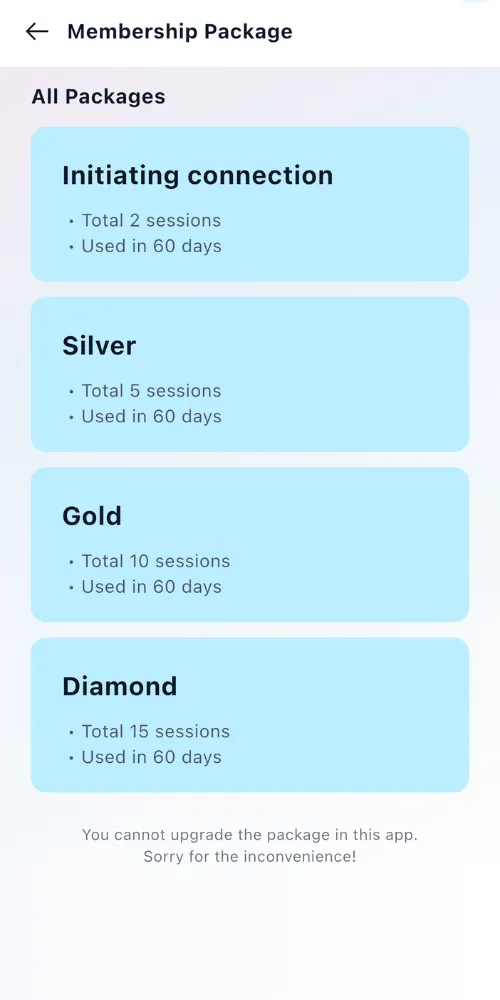
Case 2: The User has the package, User clicks on the Box Subscription on the screen to view the specific package
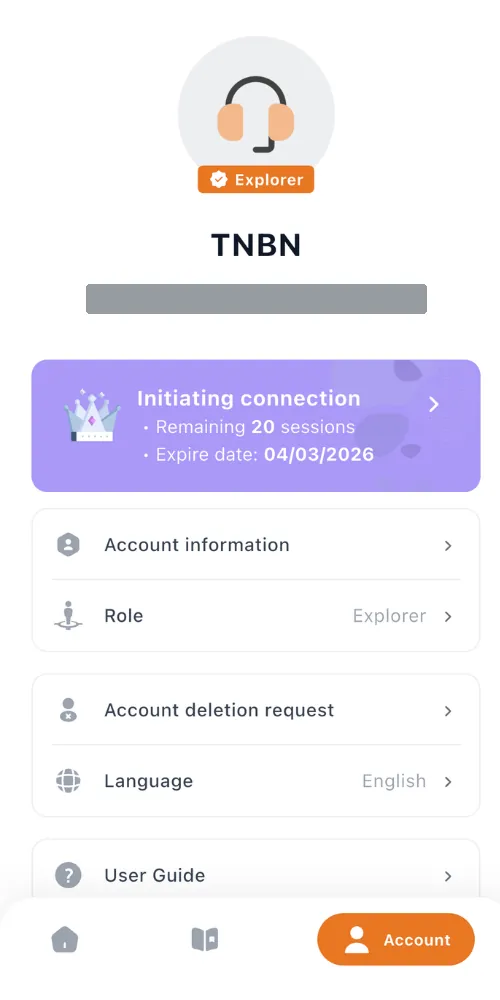
For the User who has a package, the User clicks on the “Membership Package” banner to view the package.
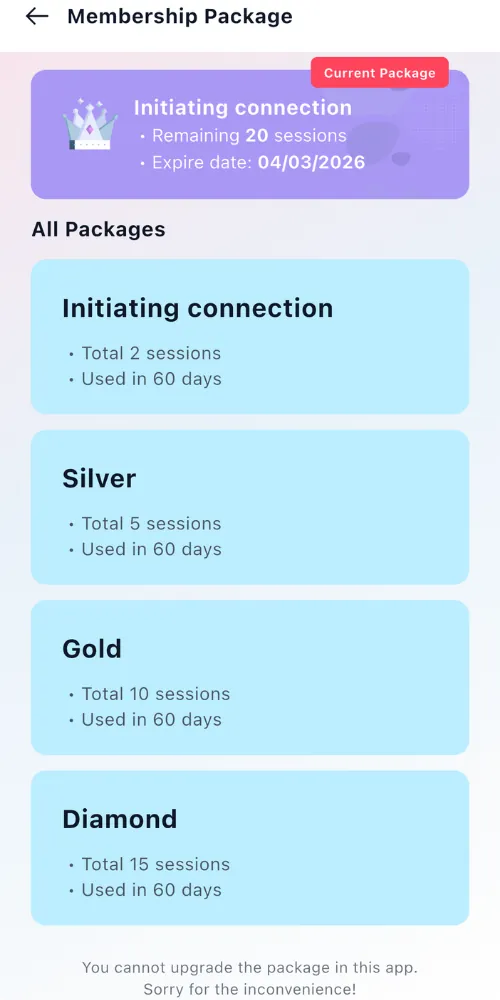
If want to upgrade -> access https://ced.kambria.io/ to purchase
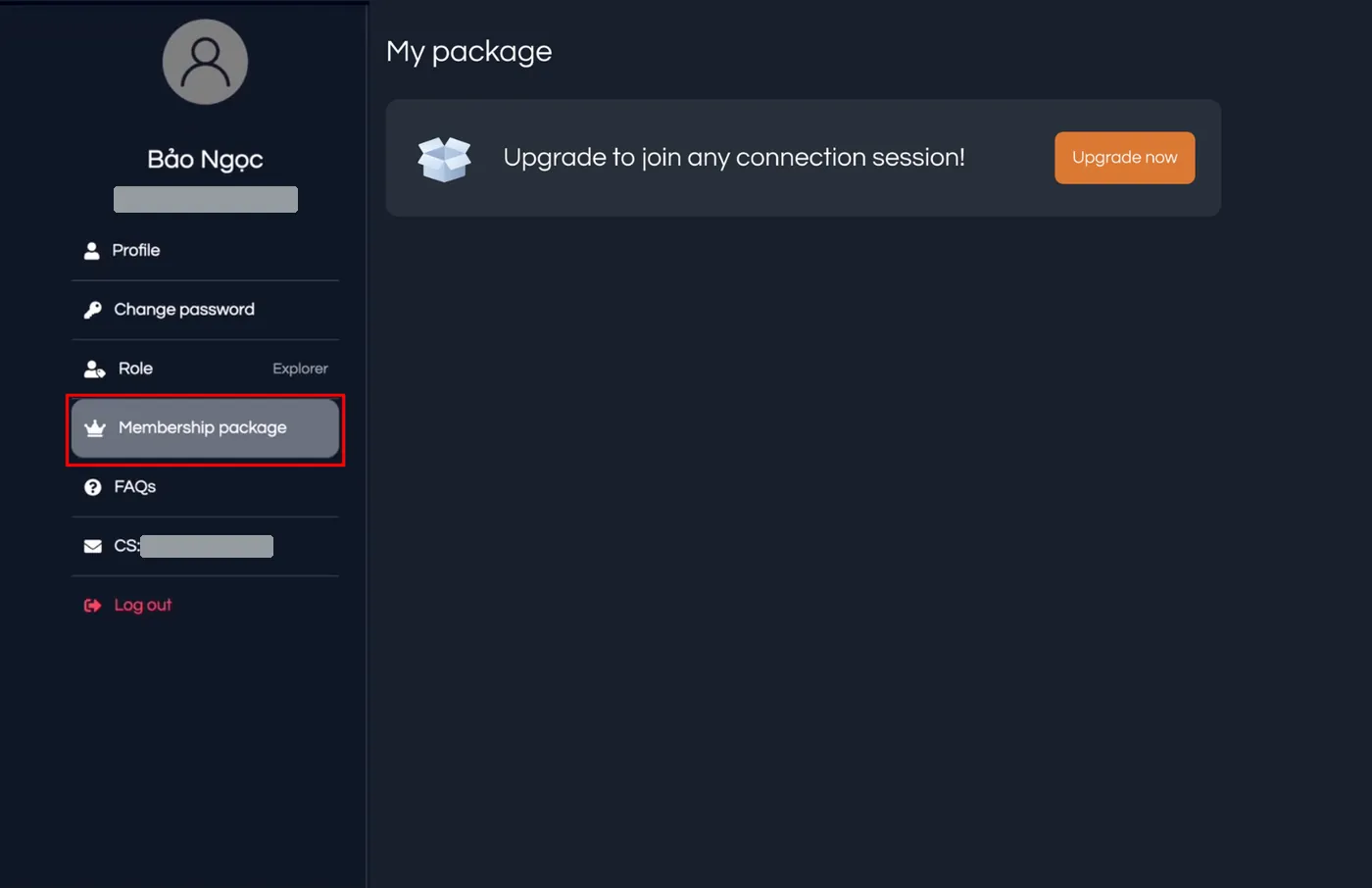
[Web] The user clicks on the button “profile”
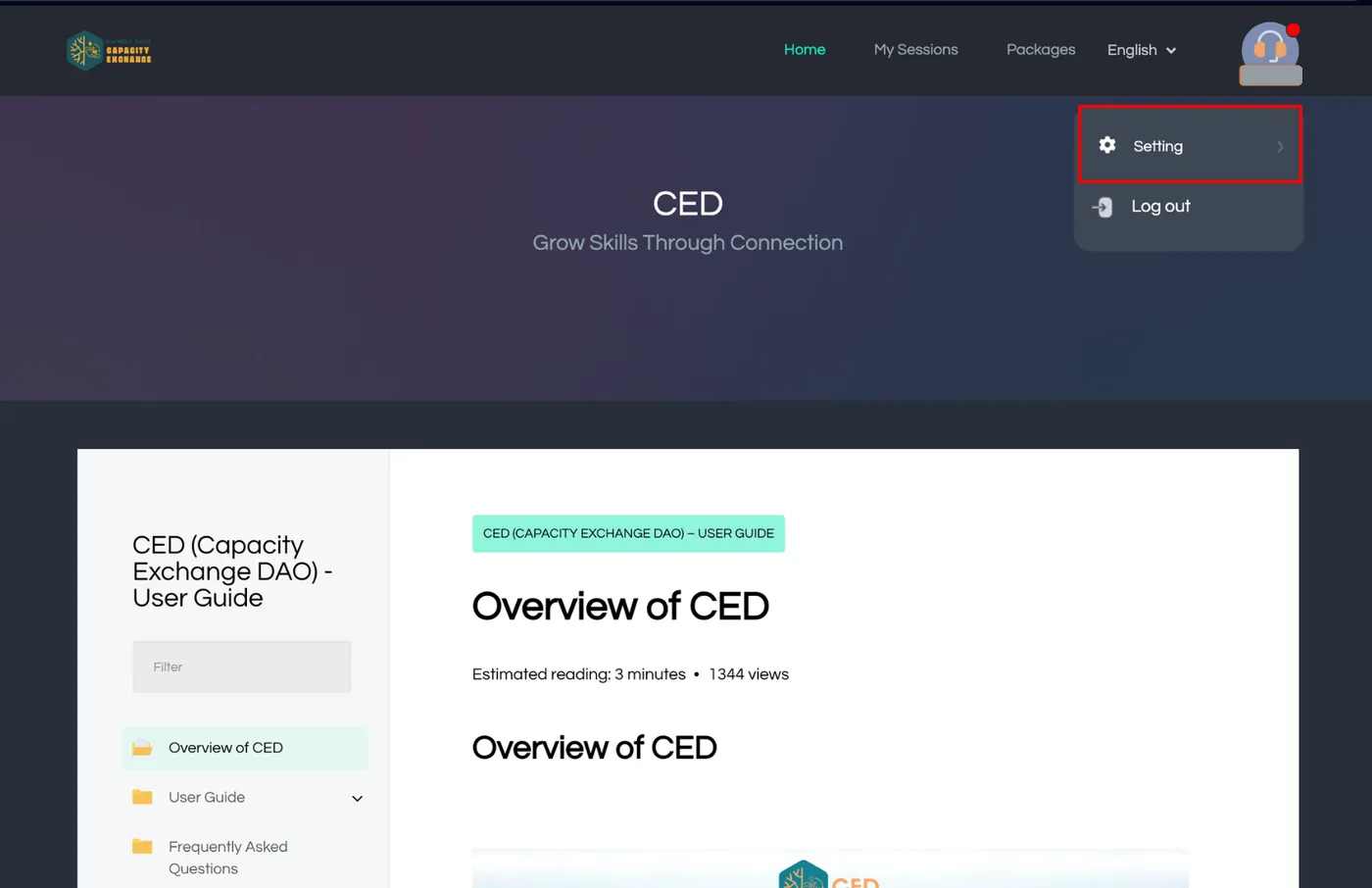
Choose “Membership package”
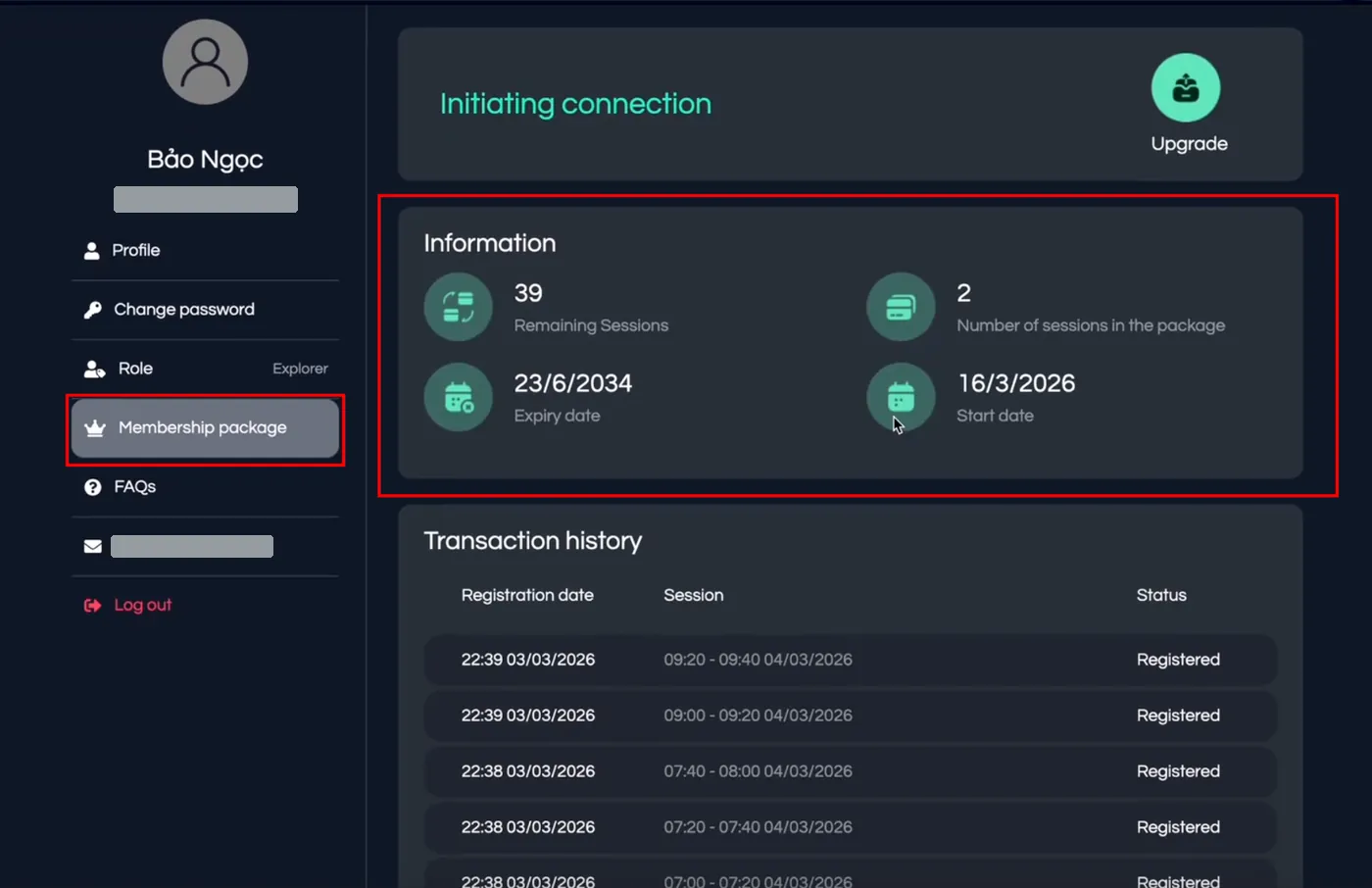
Then click “Upgrade now”