Capacity Exchange DAO
How to purchase a subscription
Table of content
This is a guide for Explorers to purchase a subscription package on the Web ced.kambria.io. Please follow the steps below to view package details and complete your purchase:
Step 1: After logging in successfully, on the homepage, select “Packages”
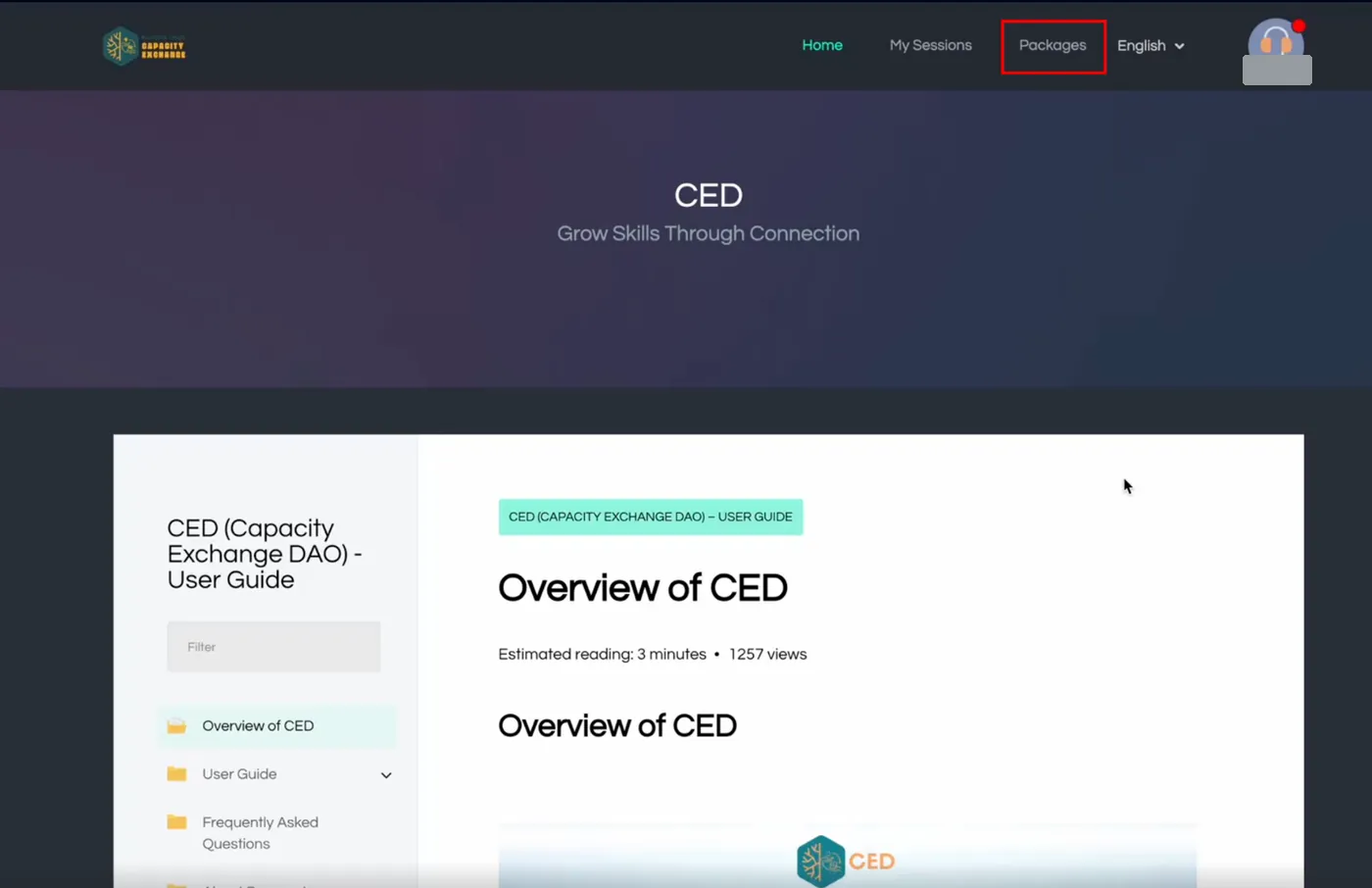
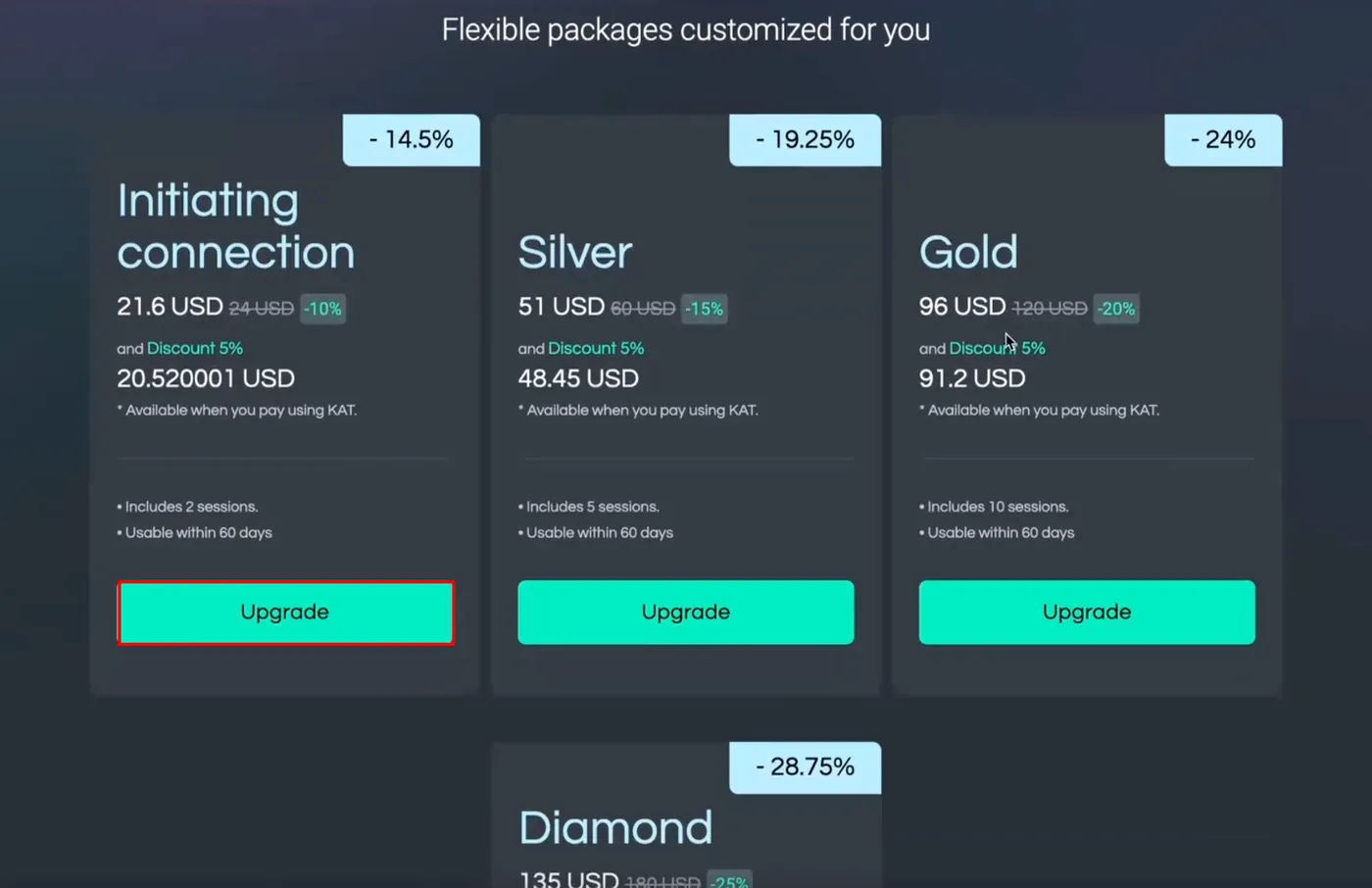
Step 2: You can review the available packages (including package name, price, benefits, number of Sessions, and validity period), then select “Upgrade” to purchase your desired package
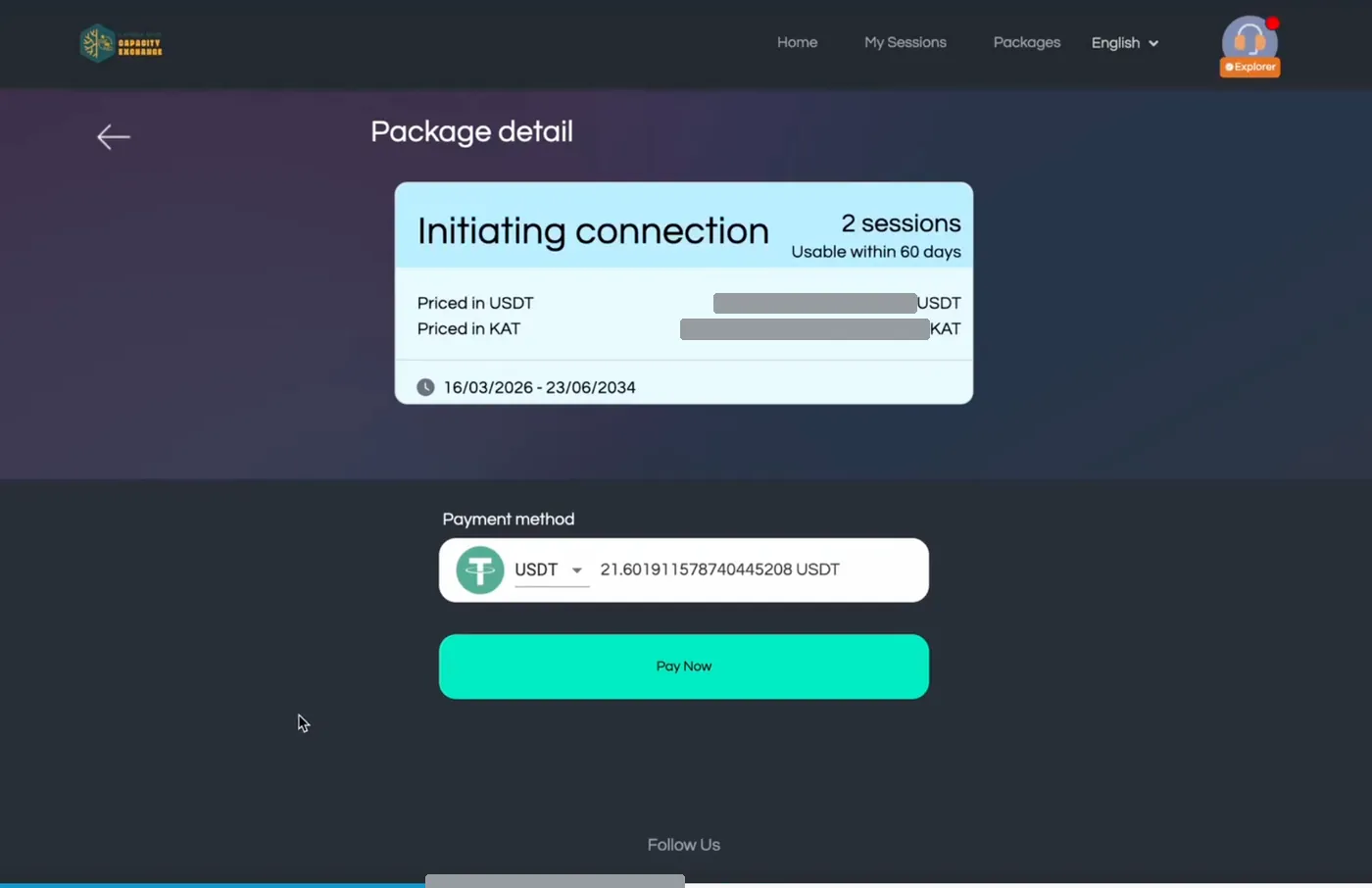
Step 3: At Payment method, you can choose to pay with “USDT” or “KAT”, then select “Pay now”
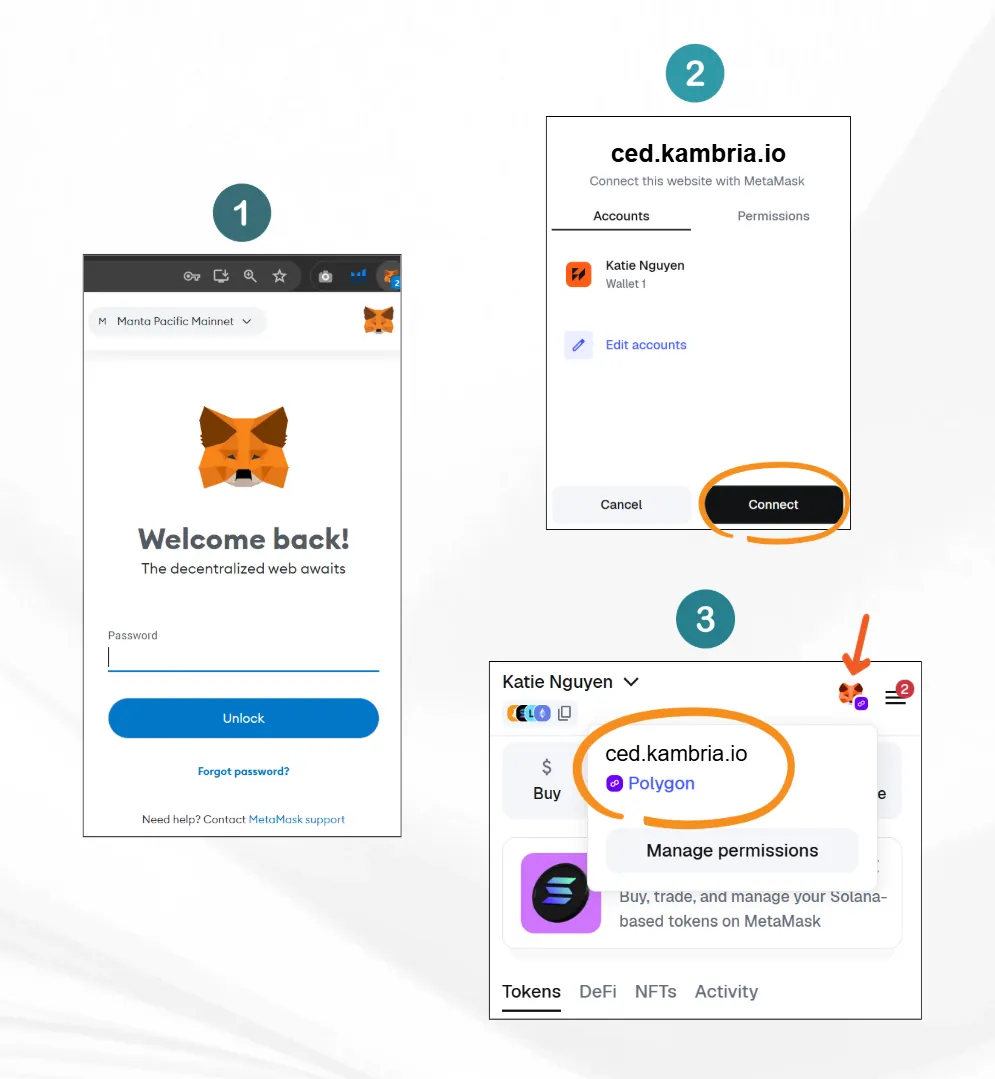
Step 4: Connect your MetaMask wallet to ced.kambria.io to proceed with the payment
- After clicking the “Pay now” button, you will be required to connect your MetaMask wallet to ced.kambria.io to proceed with payment.
- Pic 1: Log in to your MetaMask wallet → Pic 2: Connect your wallet to ced.kambria.io → Pic 3: Check the successful connection status
- You can refer to the two videos below if you are not familiar with how to install and use the MetaMask wallet.
- You can check your USDT balance to ensure you have enough funds for the payment.
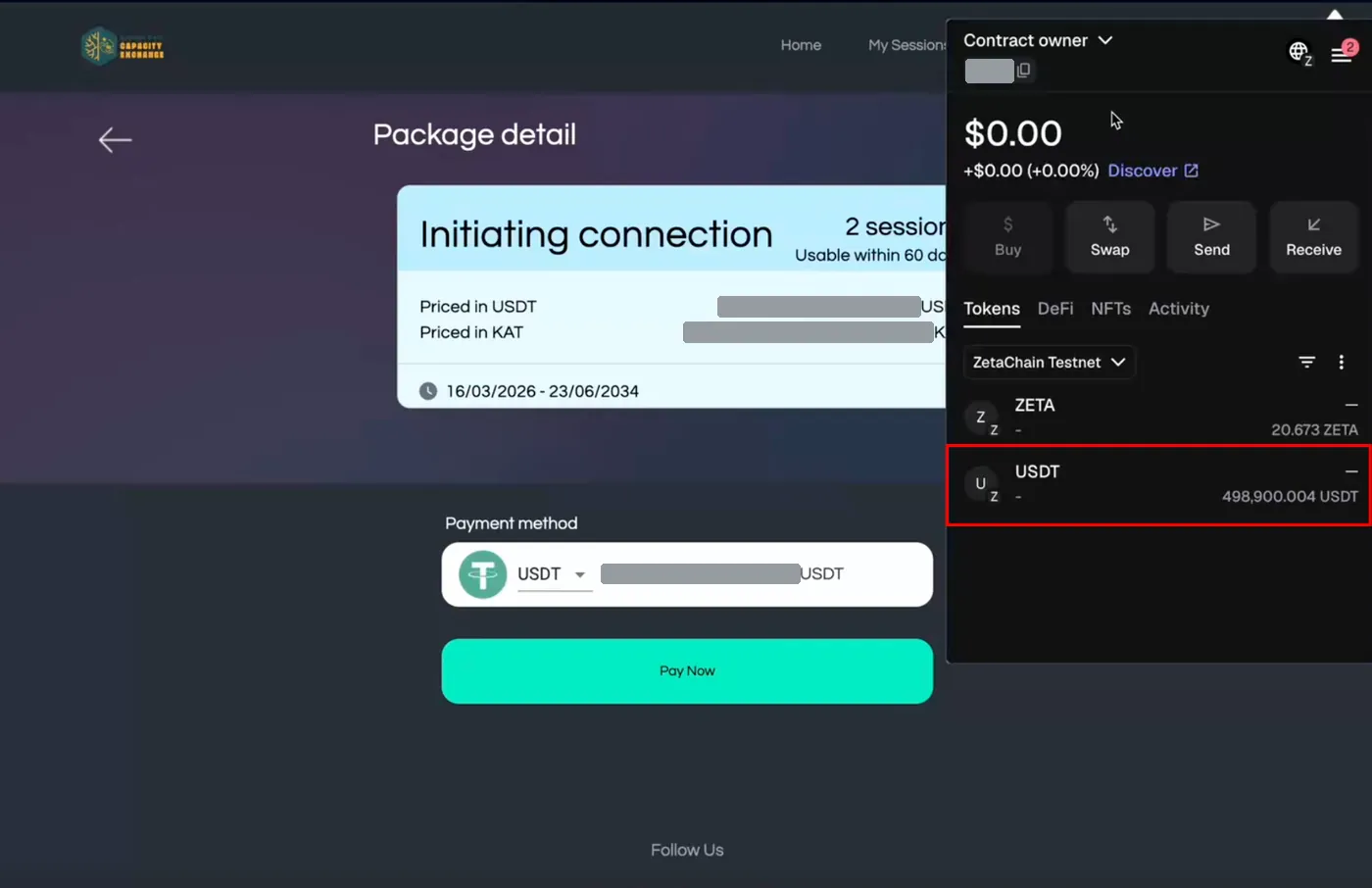
- Check the Package details again and choose "Confirm"
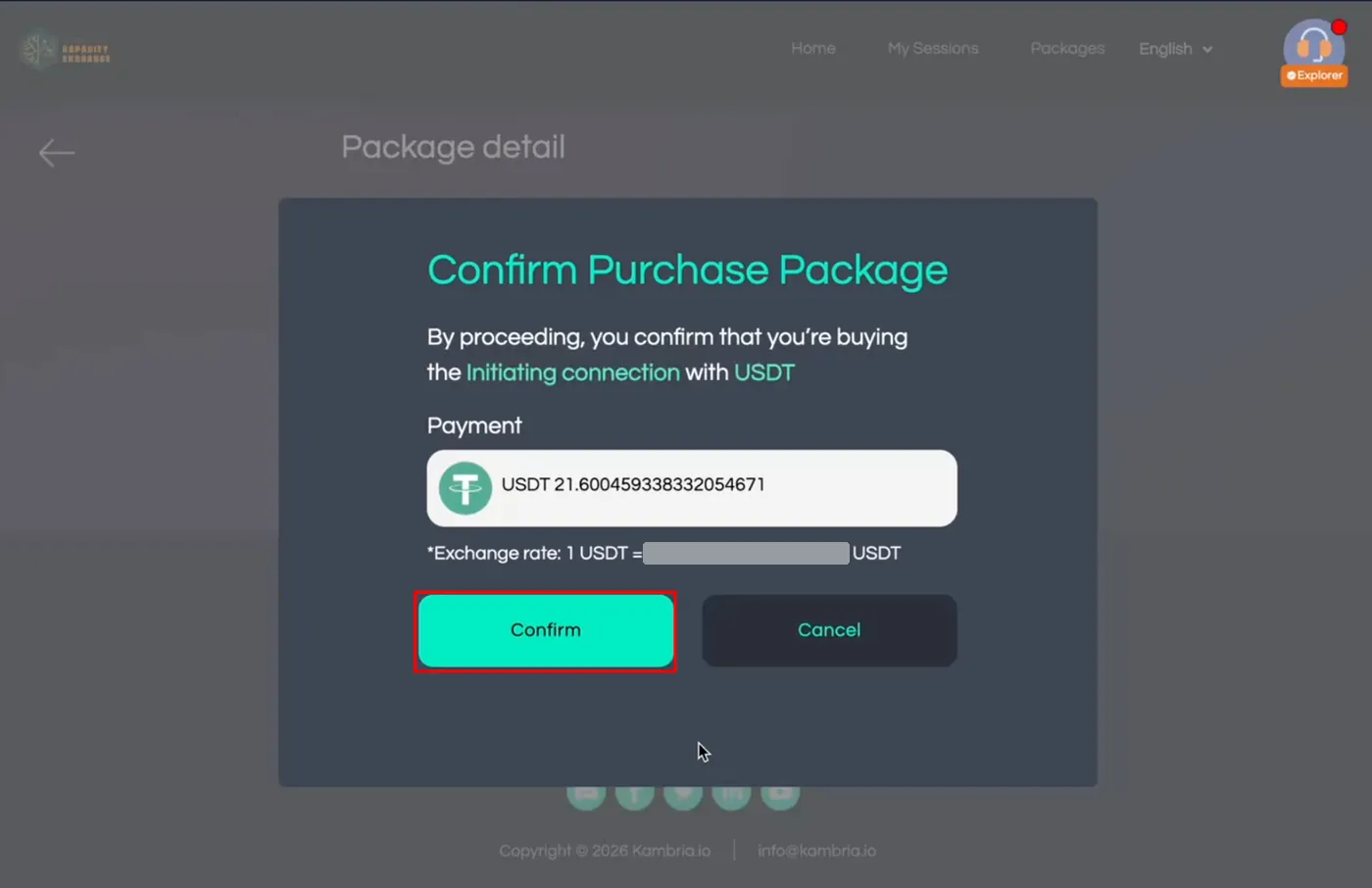
- Select “Confirm” to proceed with the payment process.
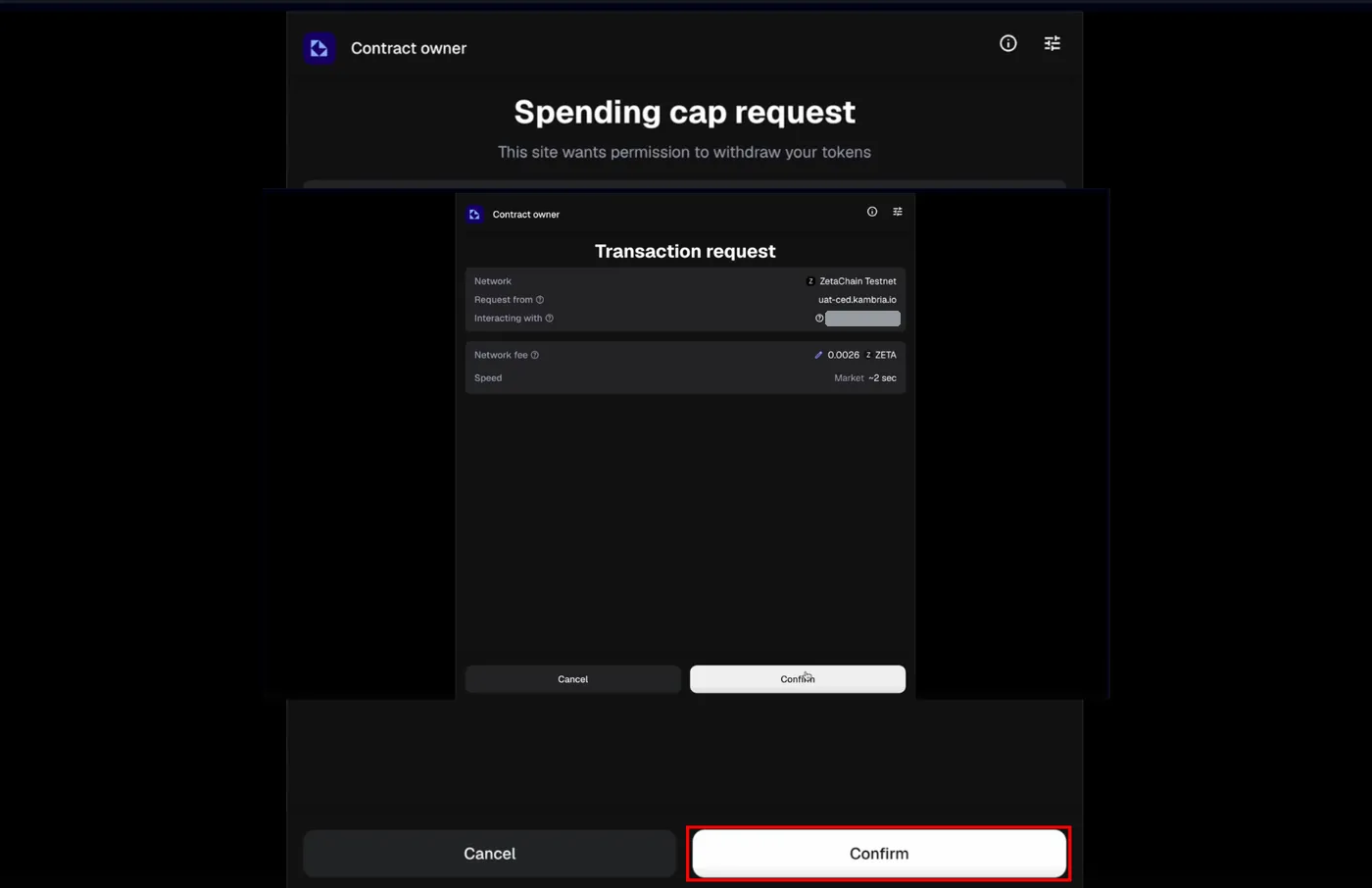
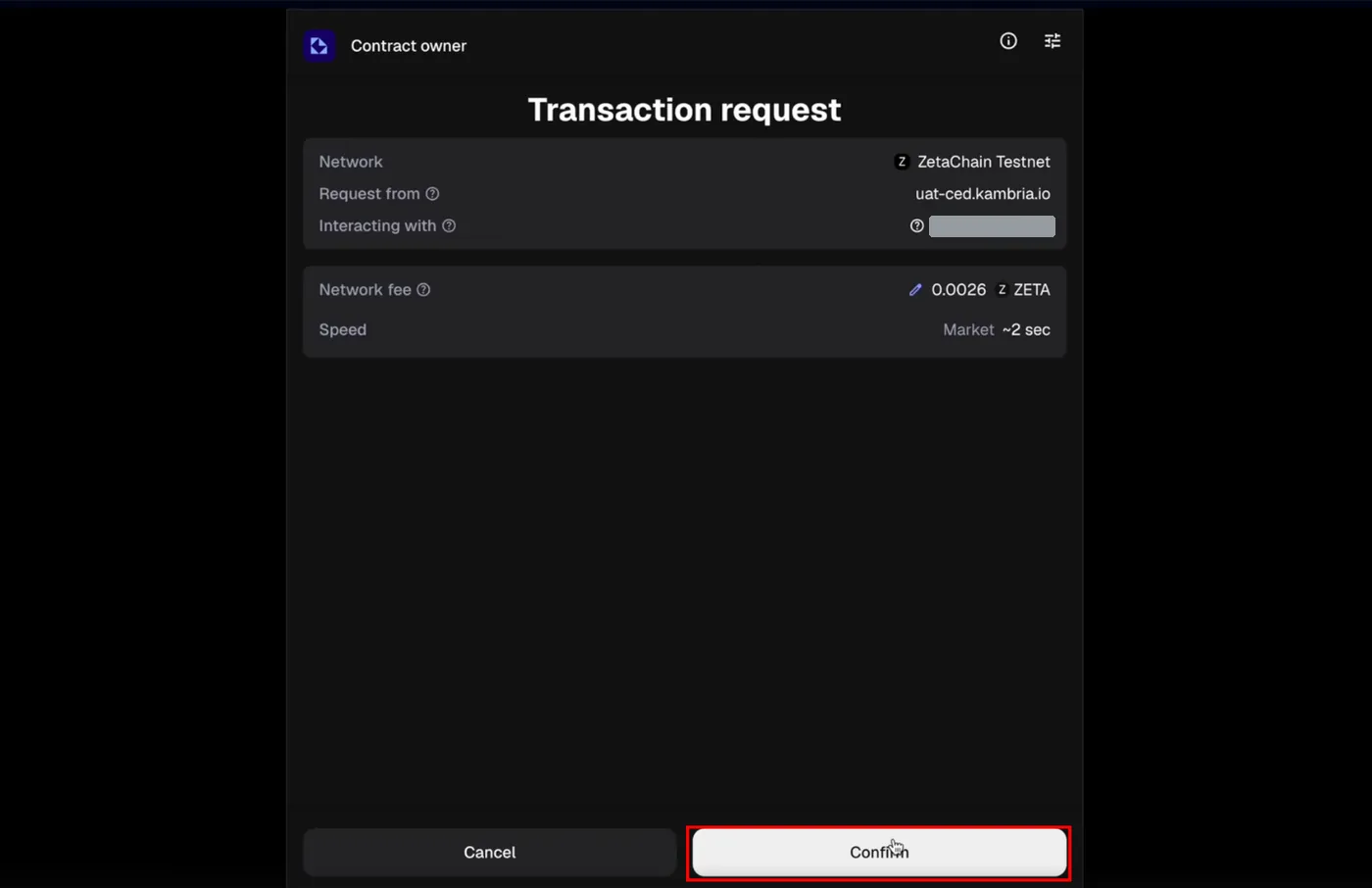
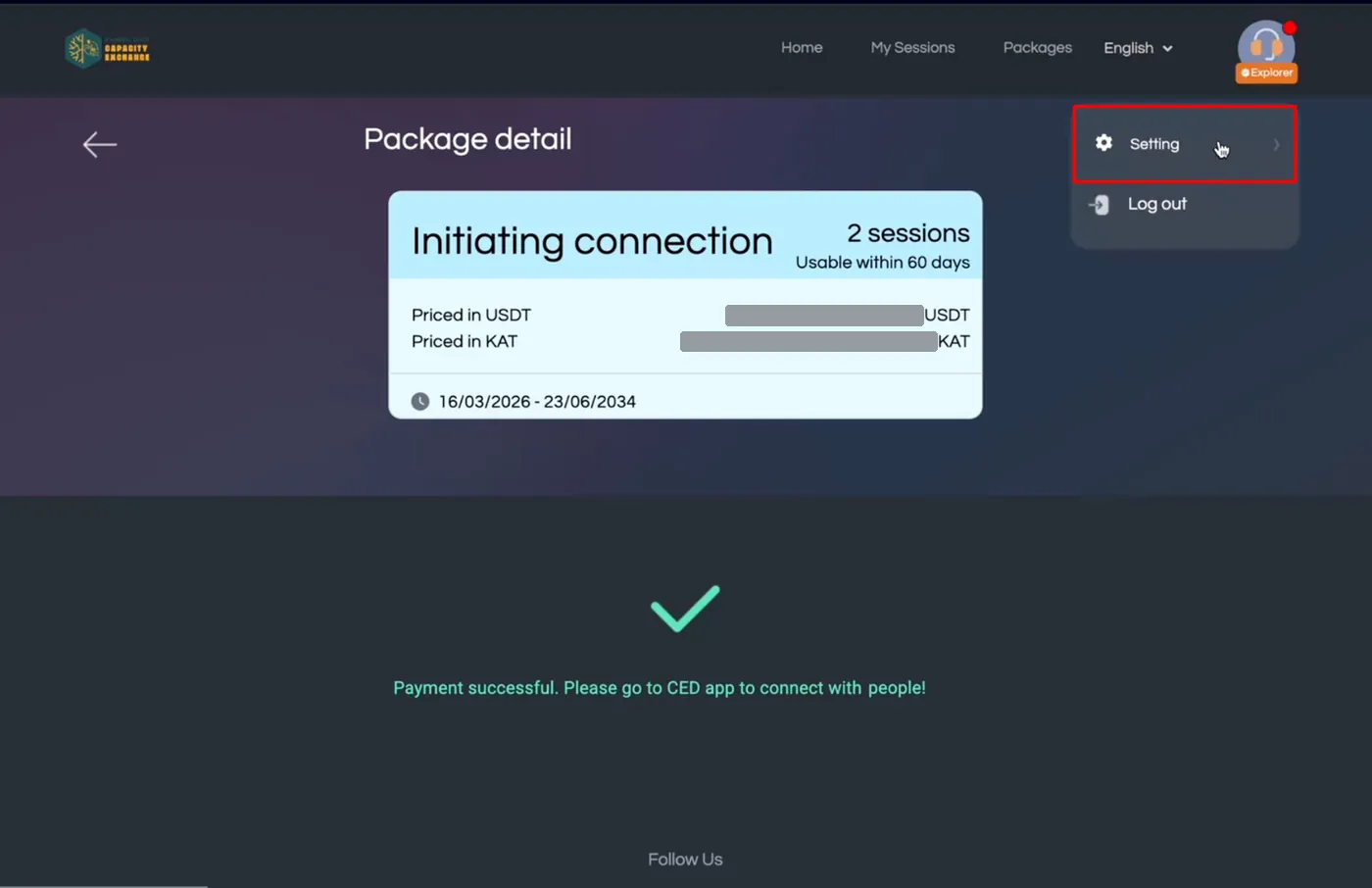
- After successful payment, you will see a green confirmation message displayed as shown.
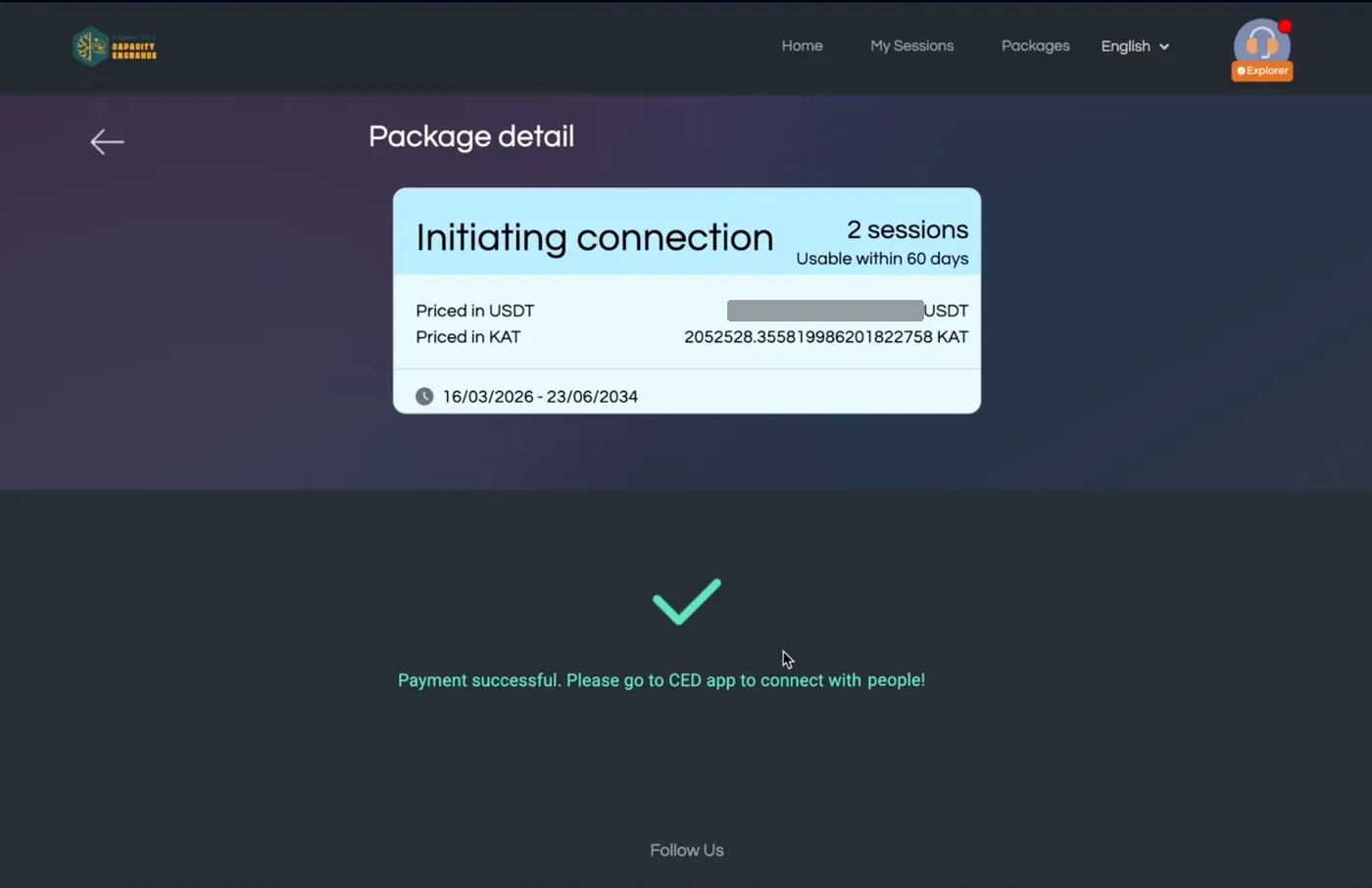
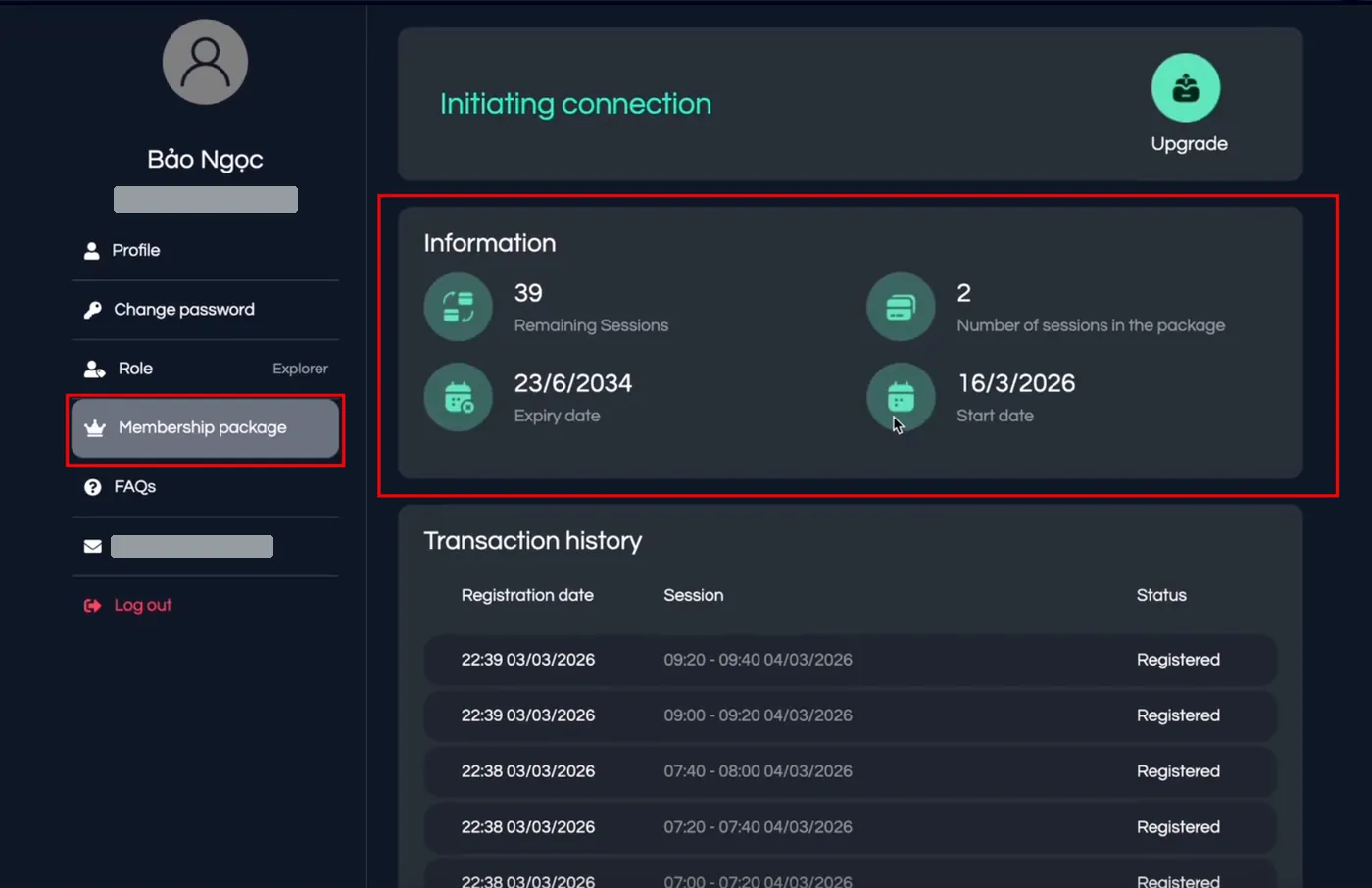
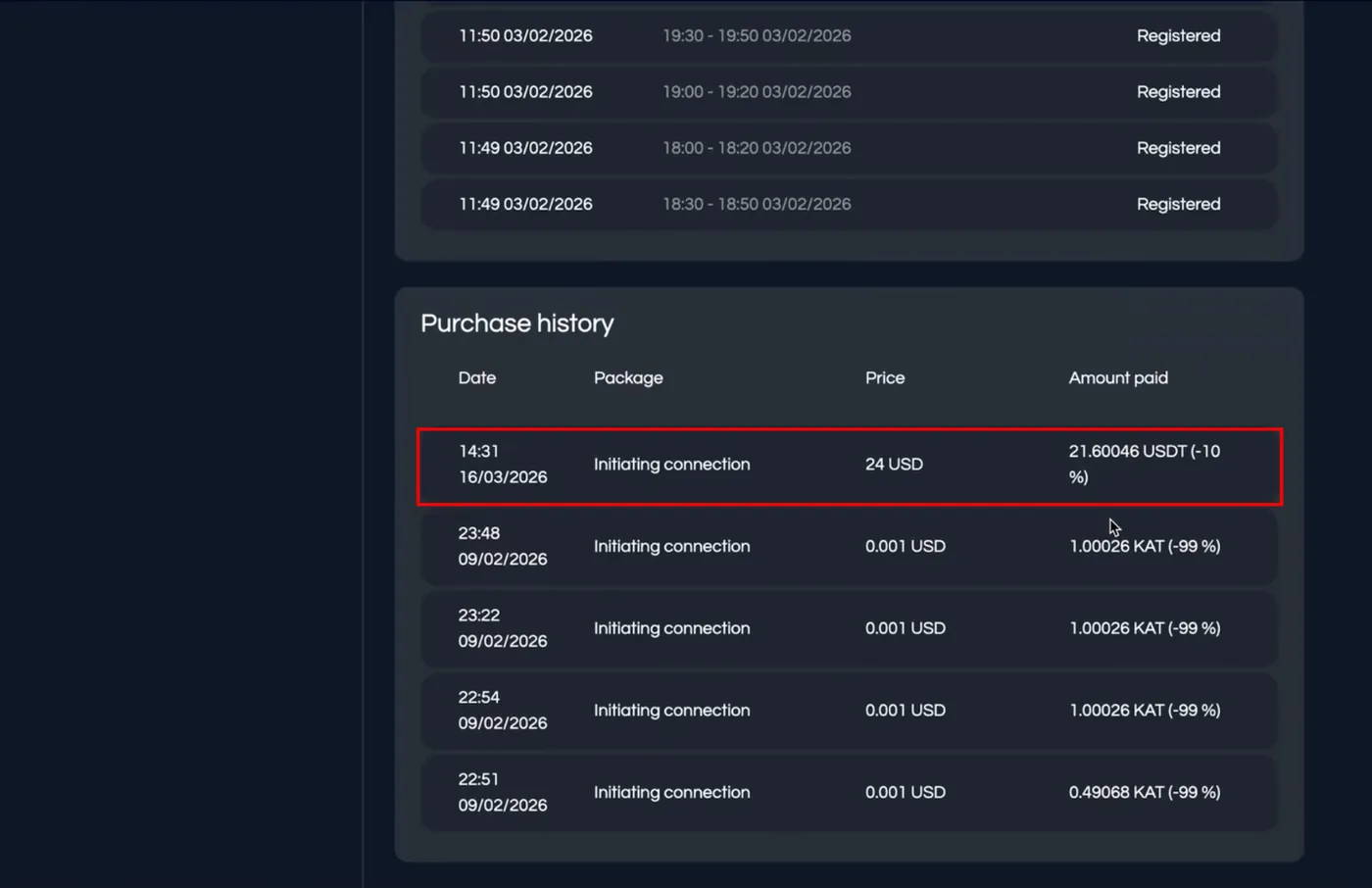
Step 5: You can review your purchased packages and transaction details in the “Settings” section