
Capacity Exchange DAO
Report Guide’s Topic
Overview
If you encounter a topic that contains inappropriate, incorrect, or policy-violating content, you can submit a report to notify the admin team. The admin will review your report and respond via email within 3 business days.
How to Report a Topic
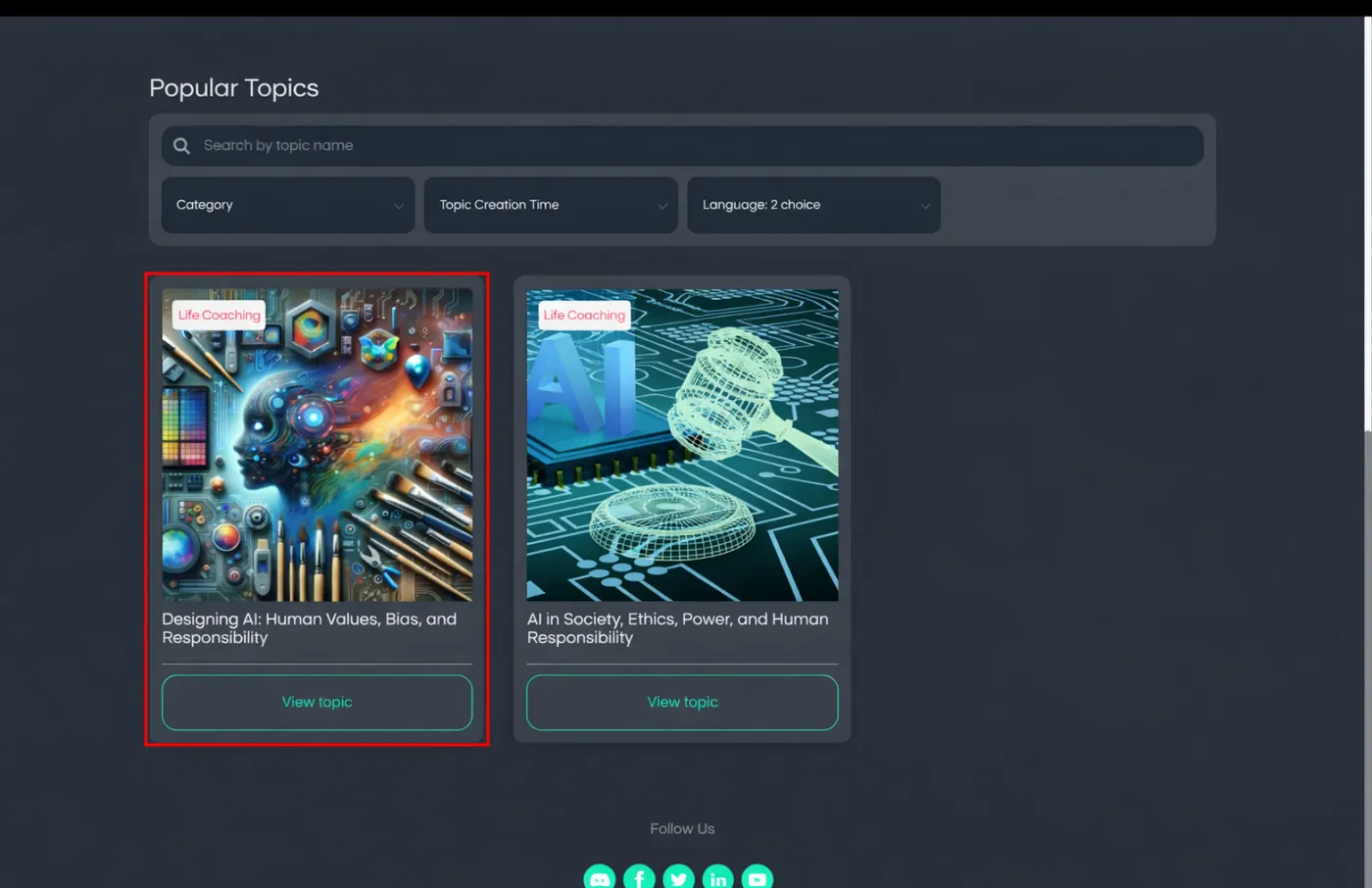
Step 1: Go to the Topic Page
Navigate to the topic you want to report from the “Popular Topics” page. Click “View topic” to open the topic details.
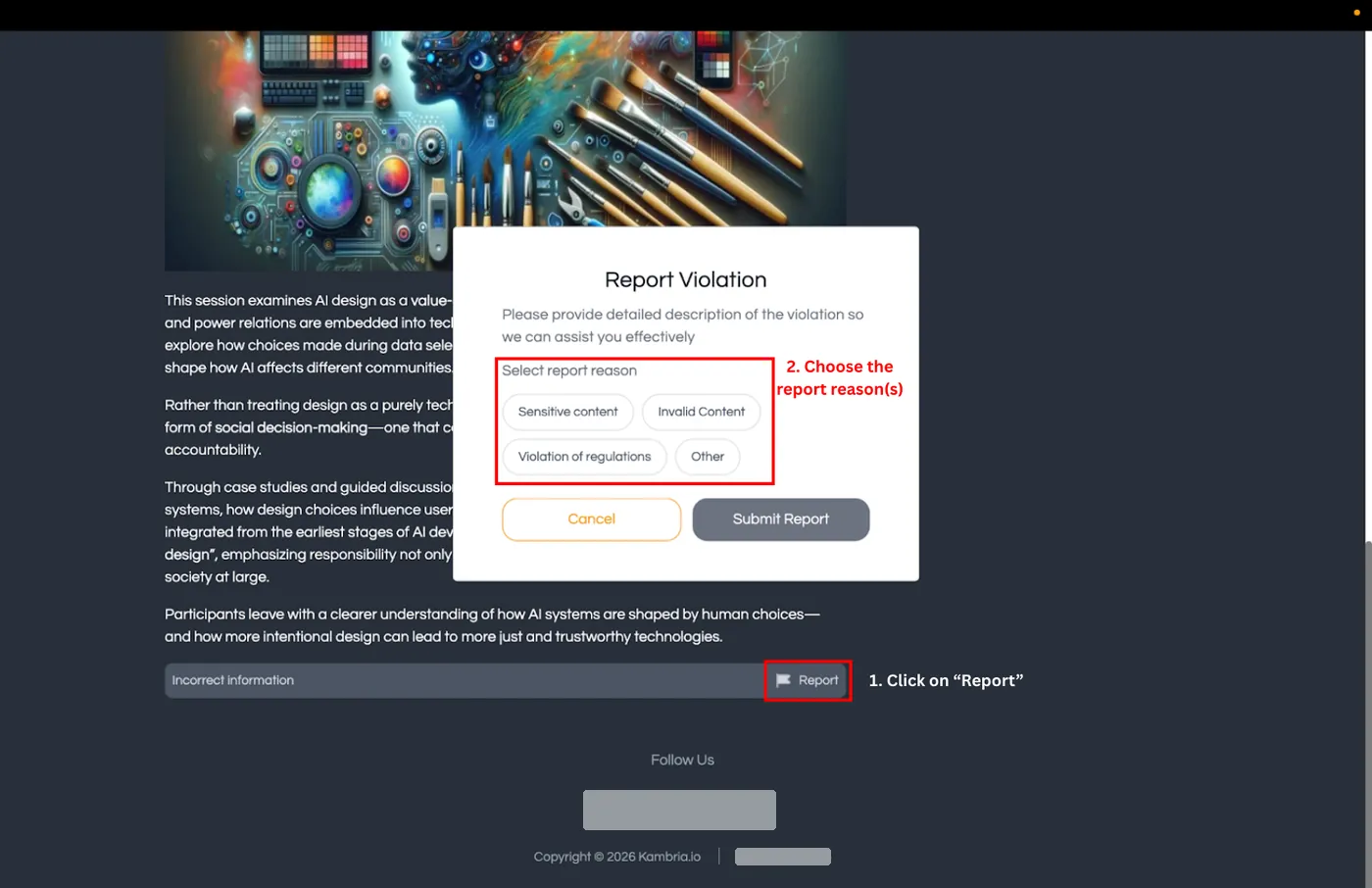
Step 2: Click “Report”
Scroll to the bottom of the topic page and click the “Report” button.
Step 3: Select Report Reason(s)
In the report form, select one or more reasons that best describe the issue:
Sensitive content
Invalid content
Violation of regulations
Other
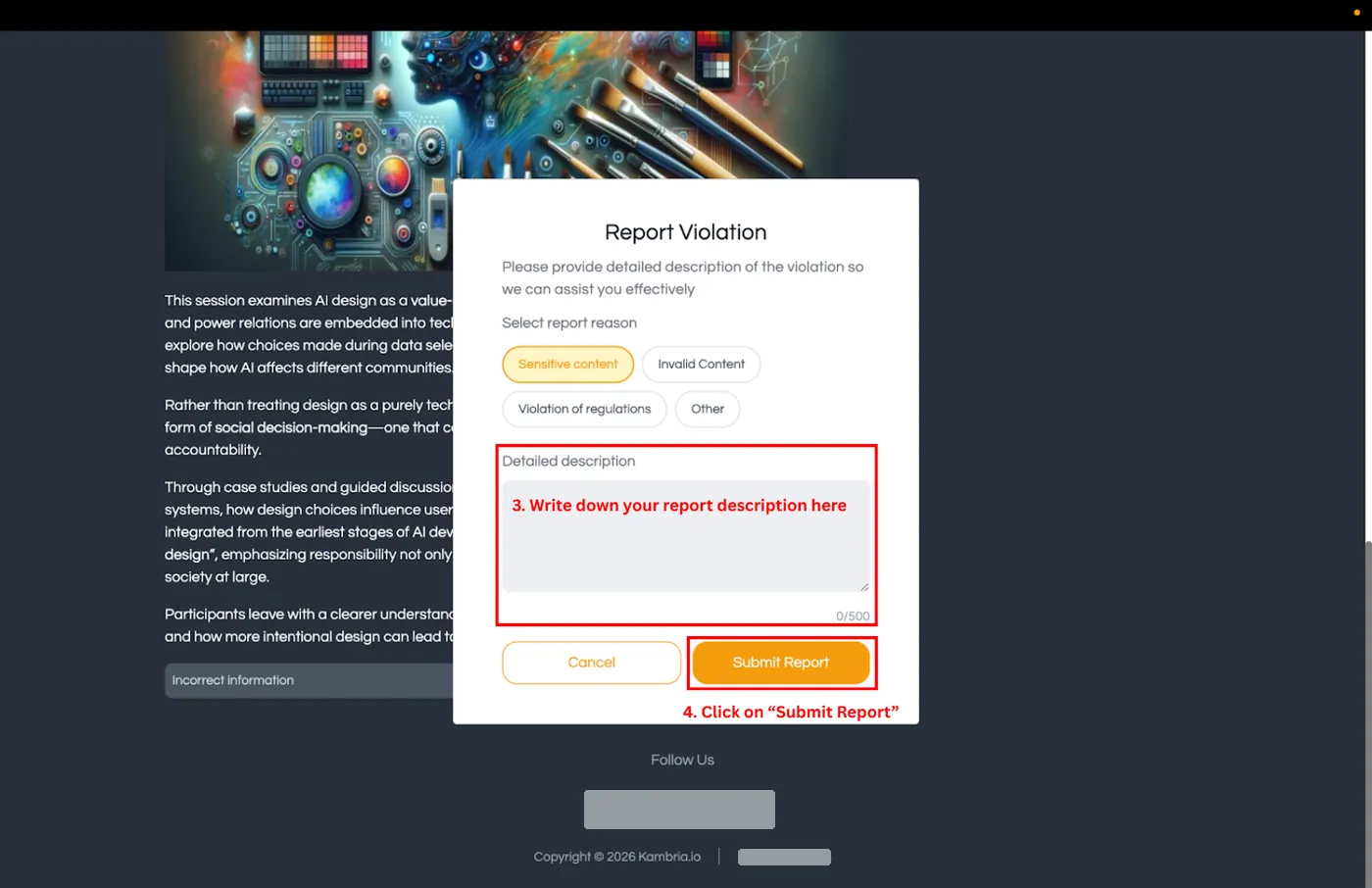
Step 4: Enter Detailed Description
Provide a clear and specific description of the issue in the text box (maximum 500 characters).
This helps the admin team understand and process your report more efficiently.
Step 5: Submit the Report
Click “Submit Report” to send your report. If you change your mind, click “Cancel” to exit without submitting.
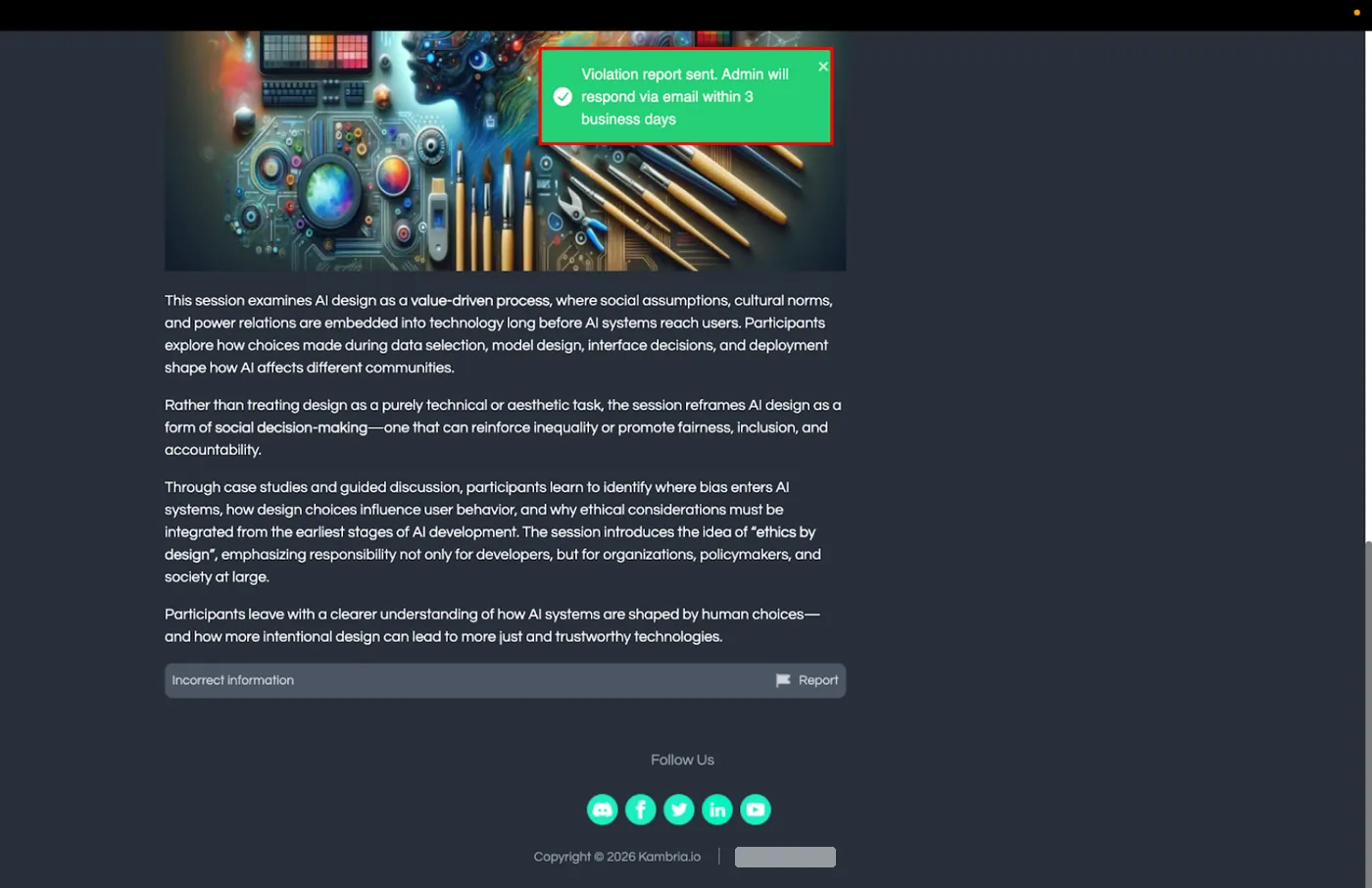
After Submitting
Once your report is successfully submitted, a confirmation message will appear indicating that:
Your report has been sent
The admin will respond via email within 3 business days
Notes
You can select multiple reasons when reporting
Make sure your description is accurate and relevant
Reports are reviewed manually by the admin team