
Kambria DAOs
Create DAO
This page describes the standard process to create a Kambria DAO, including on-chain DAO creation, governance and LP token setup, and off-chain configuration on Kambria Admin.
Kambria DAOs use:
XDAO for DAO creation and governance,
Smart contracts for tokens and voting,
Kambria Admin for ecosystem integration and operational configuration.
Overview of the Workflow
The DAO creation workflow consists of three main stages:
Create the DAO and Governance Token (GT) on XDAO
Create the DAO LP Token via on-chain voting
Register and configure the DAO on Kambria Admin
Each step is required for the DAO to function fully within the Kambria ecosystem.
Prerequisites
Before starting, ensure that:
You have a Web3 wallet (e.g. MetaMask)
You have access to the target blockchain network (Ethereum, BSC, Polygon, or supported testnets)
The DAO Organizer wallet (Kambria) is available to initiate the DAO
Required information is prepared:
DAO name and symbol
Initial partners and governance token allocation
Quorum configuration
Token sale and treasury wallets
Step 1: Create DAO on XDAO
1. Select Blockchain Network
Choose the blockchain network where the DAO will be deployed (e.g. Ethereum, BNB Smart Chain, Polygon).
2. Connect Wallet
Connect the designated DAO Organizer wallet to XDAO.
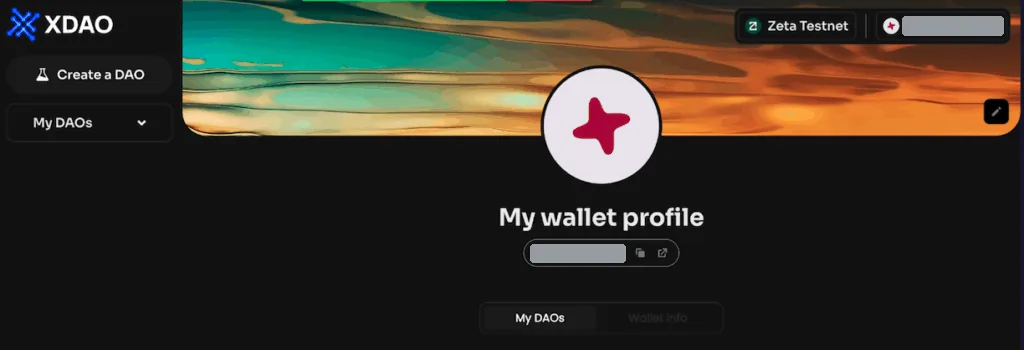
3. Create a New DAO
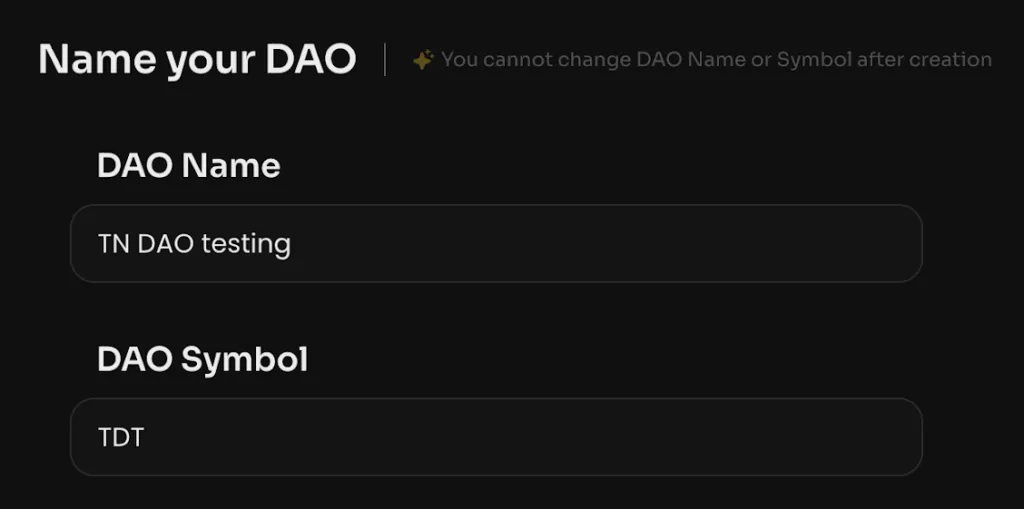
On XDAO, choose Create DAO, then input:
DAO Name (e.g. Kambria Pet Care Robot DAO)
DAO Symbol (auto-generated or customized)
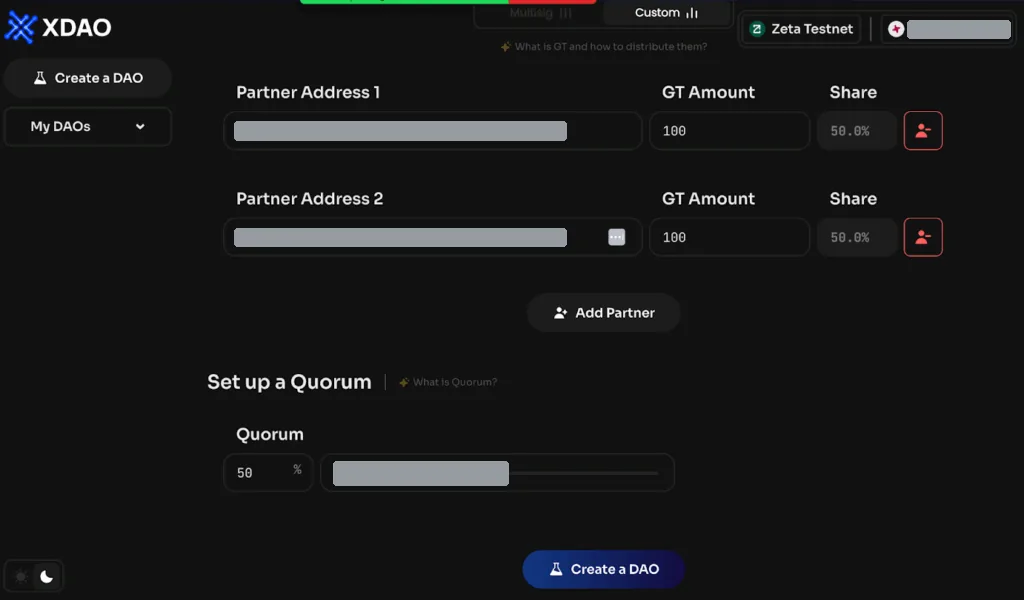
4. Set Partners and Governance Tokens (GT)
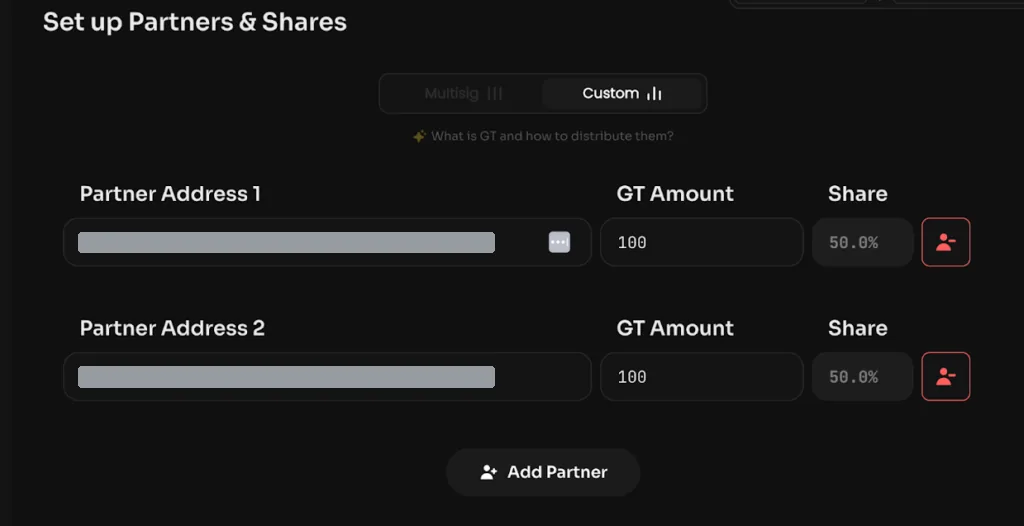
Configure the initial governance structure:
Select Custom partner setup
Add partner wallet addresses
Assign Governance Token (GT) amounts to each partner
GT allocation determines initial voting power within the DAO.
5. Set Quorum
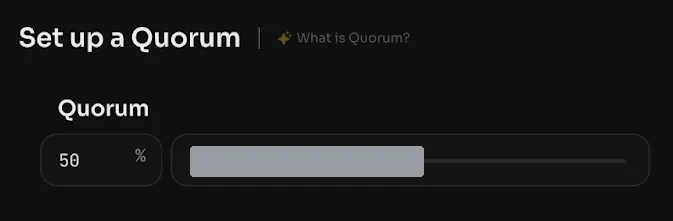
Define the quorum required for proposal approval (e.g. 45–70%).
6. Create DAO
Confirm the transaction in your wallet to deploy the DAO smart contracts.
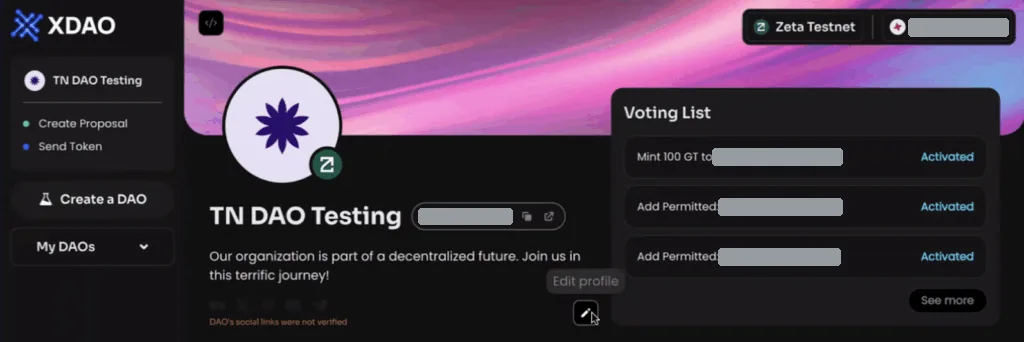
Once completed:
The DAO contract address is created
The DAO Governance Token (GT) contract is deployed automatically
Step 2: Import DAO Governance Token (GT)
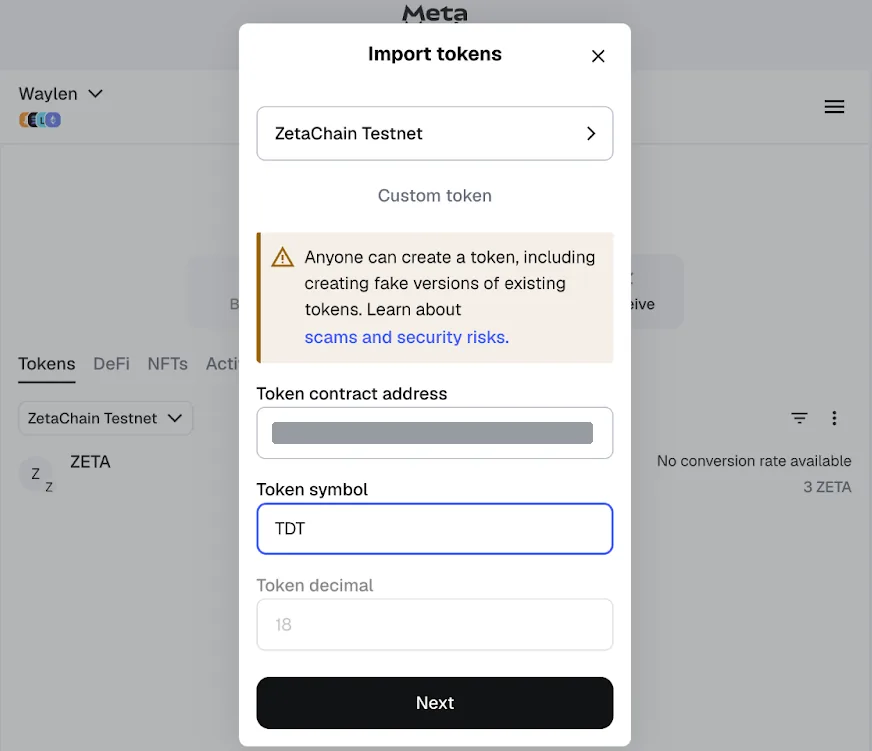
After DAO creation, import the DAO GT token into your wallet to view balances and participate in governance.
Steps:
Open your wallet (e.g. MetaMask)
Import a custom token**
Select the correct network
Enter the DAO GT token contract address
Confirm token import
Step 3: Update DAO Profile on XDAO
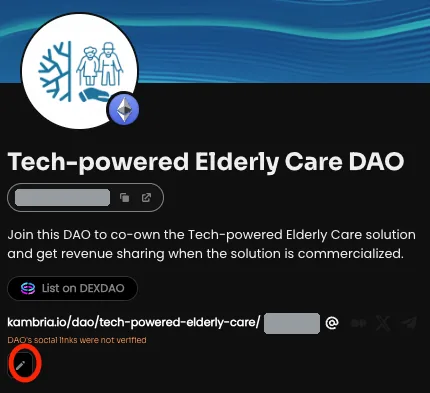
Each DAO should complete its public profile to make information visible to contributors.
Update the following:
DAO avatar
Banner image
Description (“About”)
Website and social links (Telegram, Discord, Twitter, Medium, etc.)
All updates require confirmation via wallet transaction.
Step 4: Create DAO LP Token (via Voting)
DAO LP tokens represent co-ownership and revenue-sharing rights in the DAO.
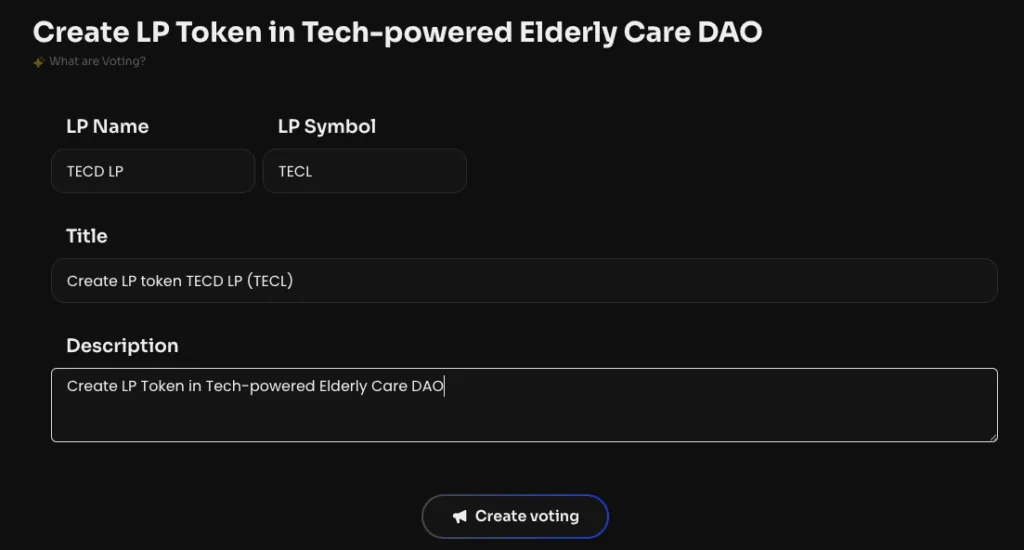
1. Create LP Token Proposal
From the DAO management page:
Choose Create LP Token**
Input:
LP Token Name
LP Token Symbol
Proposal title
Proposal description
2. Vote and Activate LP Token
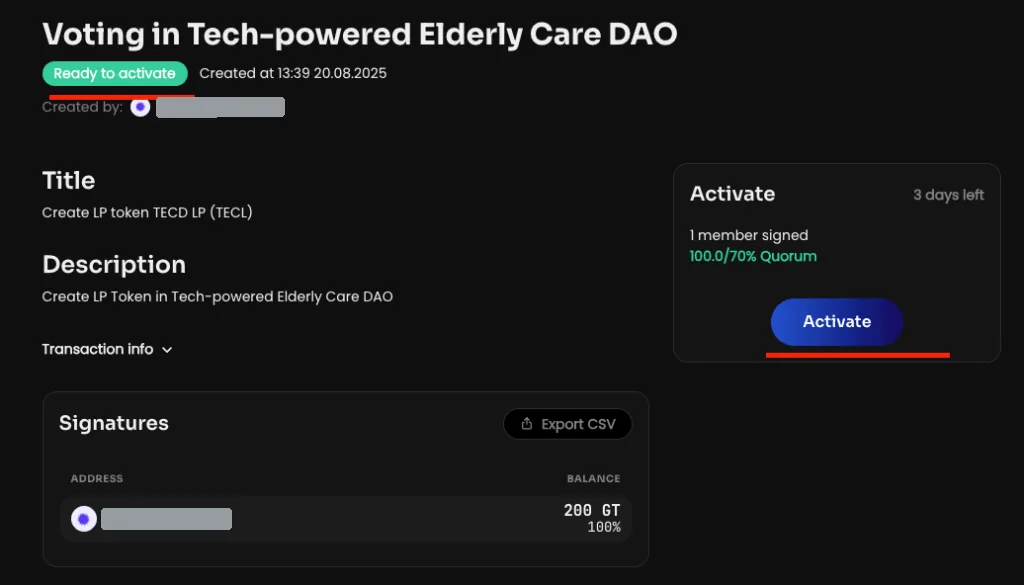
DAO members vote on the LP token creation proposal
Once quorum is met, activate the proposal
Confirm the transaction in your wallet
3. Confirm LP Token Deployment
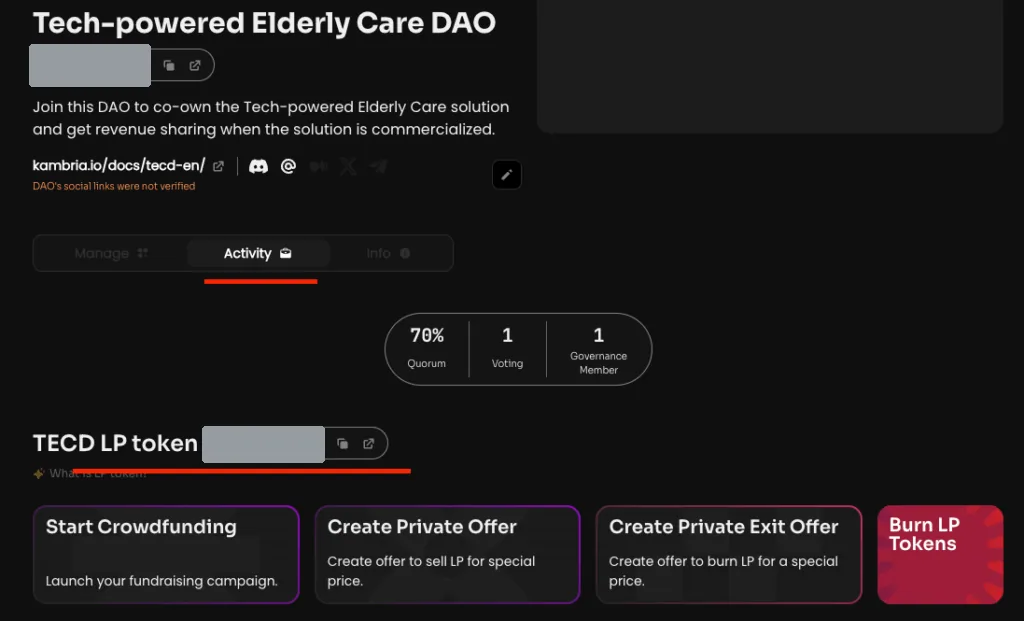
After activation:
The LP token smart contract is deployed
The LP token address appears in the DAO Activity tab
Step 5: Register DAO on Kambria Admin
To integrate the DAO into the Kambria platform, the DAO must be registered on Kambria Admin.
Add DAO Information
Create a new DAO entry and input:
DAO name and code
Blockchain network / Chain ID
DAO GT token address
DAO LP token address
Token sale wallet
Supported tokens and allocation limits (e.g. USDT, KAT, PAXG)
Some fields may auto-load once the GT token address is provided.
Result
After completing these steps:
The DAO is live on-chain via XDAO
Governance and LP tokens are deployed
The DAO is fully integrated into the Kambria ecosystem
The DAO is ready for fundraising, participation, and execution workflows