
KAT Tokenomics
Step-by-Step Instructions to Use the KAT POL DEX Pool (Uniswap v3 - Polygon)
(For beginners and non-technical DAO members)
This guide explains how to buy, sell, and view KAT POL using Uniswap v3 on the Polygon network.
You only need:
A MetaMask wallet (or any wallet that supports Polygon)
Some POL (for gas)
USDT or KAT POL depending on your action
The official KAT POL pool link (provided by Kambria)
1. Before You Begin
1.1 Install MetaMask (if you don’t have it)
Follow instructions here: Install MetaMask
1.2 Add the Polygon Network
Follow instructions here: Add Polygon Network
1.3 Make sure you have a small amount of POL
You need 0.01 - 0.05 POL for gas (cost is usually < $0.01 per transaction).
2. How to Buy or Sell KAT POL on Uniswap
Step 1 - Open the Official Swap Link
Uniswap Swap Link - KAT POL / USDT https://app.uniswap.org/explore/pools/polygon/0xF70F511617F8A0DfC347A1F9B5B434968C8C12EF
This ensures the correct token contract is used.
Step 2 - Connect Your Wallet
Click Connect Wallet (top right)
Choose MetaMask
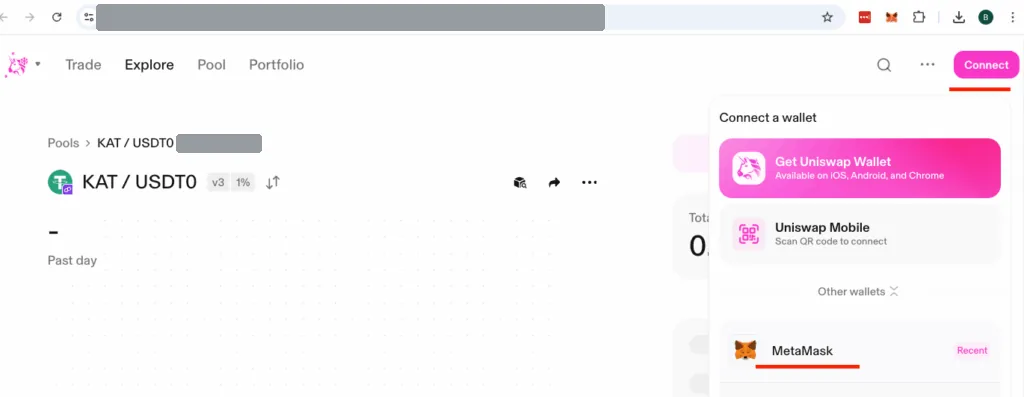
- Choose wallet (account) to connect (click Edit accounts to select another account if needed)
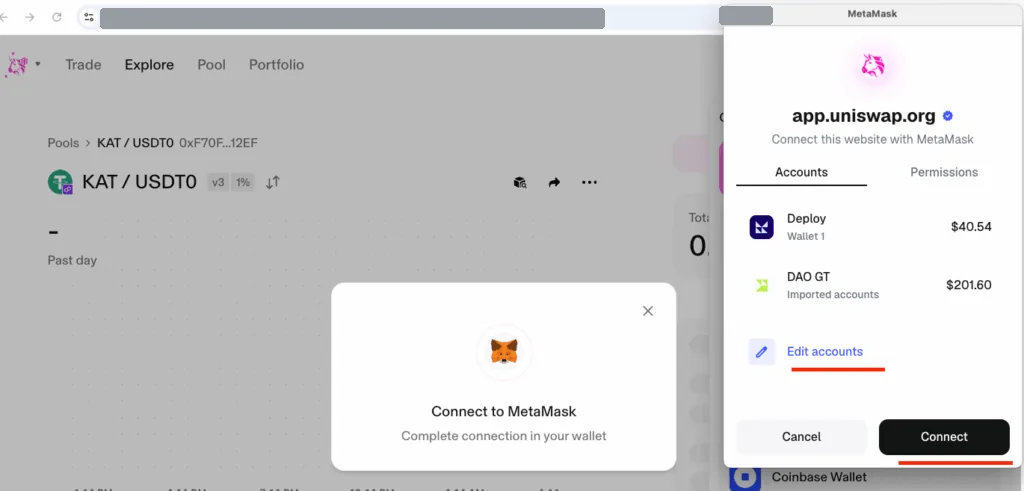
- Click Connect to approve connection
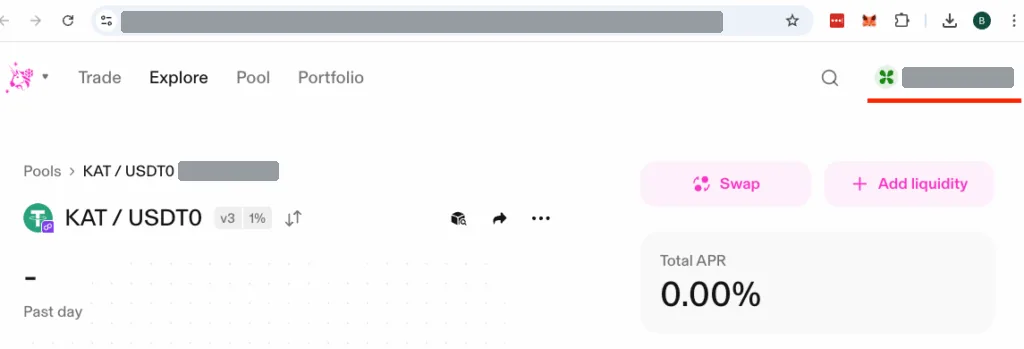
Step 3 - Choose Your Swap Direction
Click Swap.

You will see two boxes:
Sell (the token you spend)
Buy (the token you receive)
For example, if you want to buy KAT POL:
Sell: USDT**
Buy: KAT
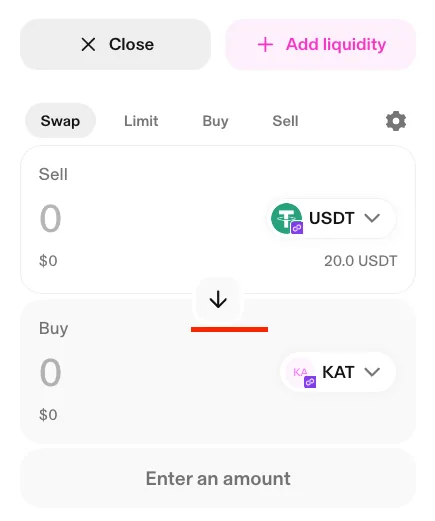
Step 4 - Enter the Amount
Type how much USDT you want to spend or receive.
Uniswap will automatically calculate the corresponding KAT amount.
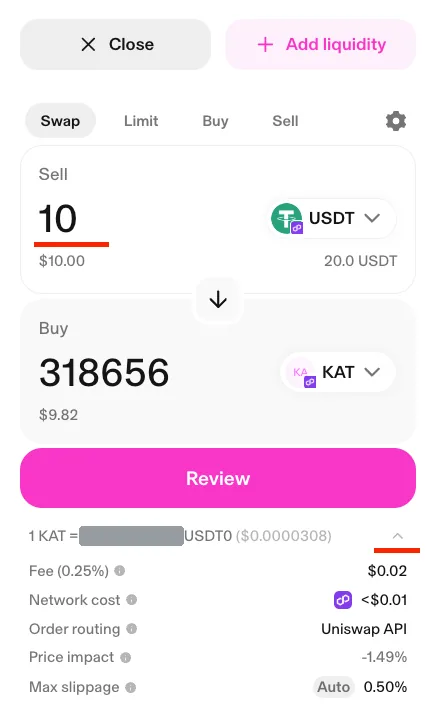
Because the pool is small, you may see:
“High price impact”**
“Low liquidity” warnings**
This is normal and expected.
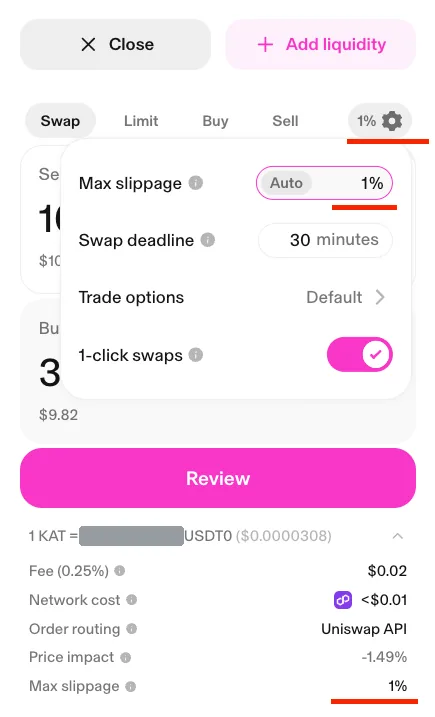
Step 5 - Check Slippage
Click settings (⚙️ icon):
Set slippage tolerance = 1% as default.
If the transaction fails with a slippage / price impact error: Increase slippage gradually: 1% → 1.5% → 2%.
Avoid >2% unless you fully understand the risk (you may get a much worse price).
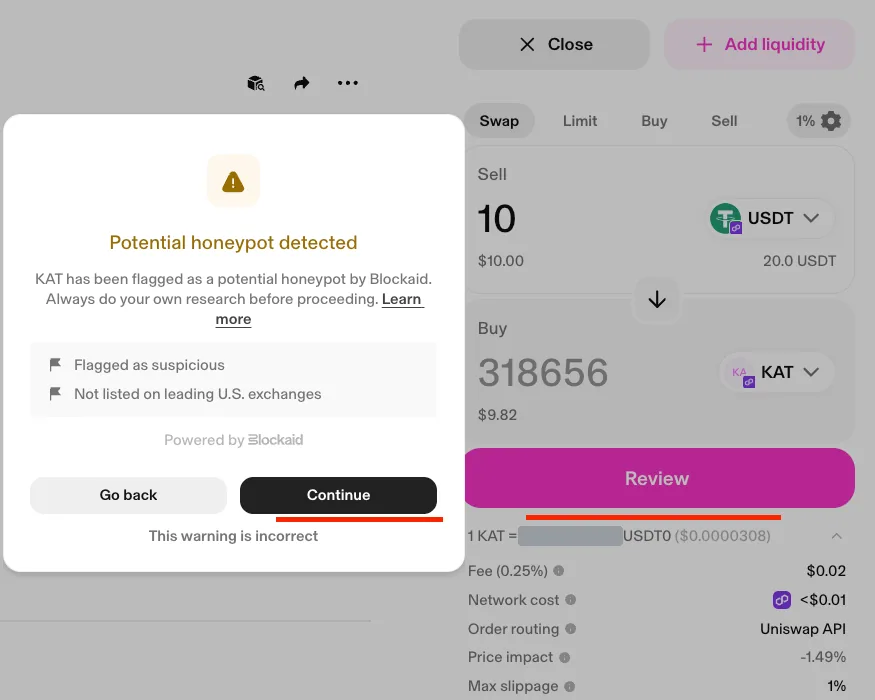
Click Review and Continue (ignore the warning).
Note that Blockaid flags any newly deployed token as “potential honeypot” if:
it is new
not listed on major CEXs
trading history is limited
contract is custom (not OpenZeppelin default)
low initial liquidity
This does not mean KAT token is unsafe - only that Blockaid automated heuristics are conservative.
Step 6 - Approve USDT (first time only)
If this is your first swap:
- Click Swap -> Approve and swap
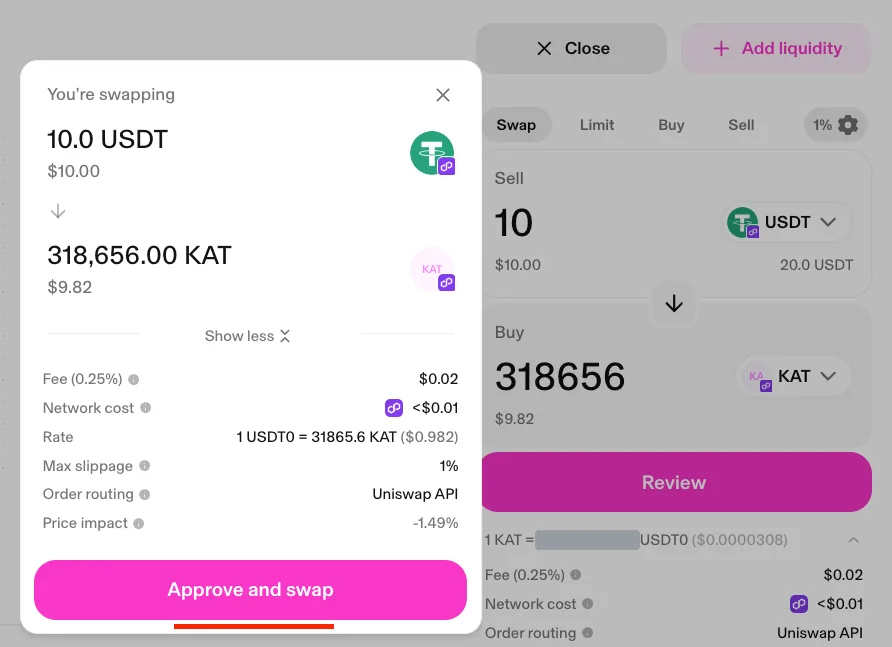
- Confirm in MetaMask to Approve and Sign
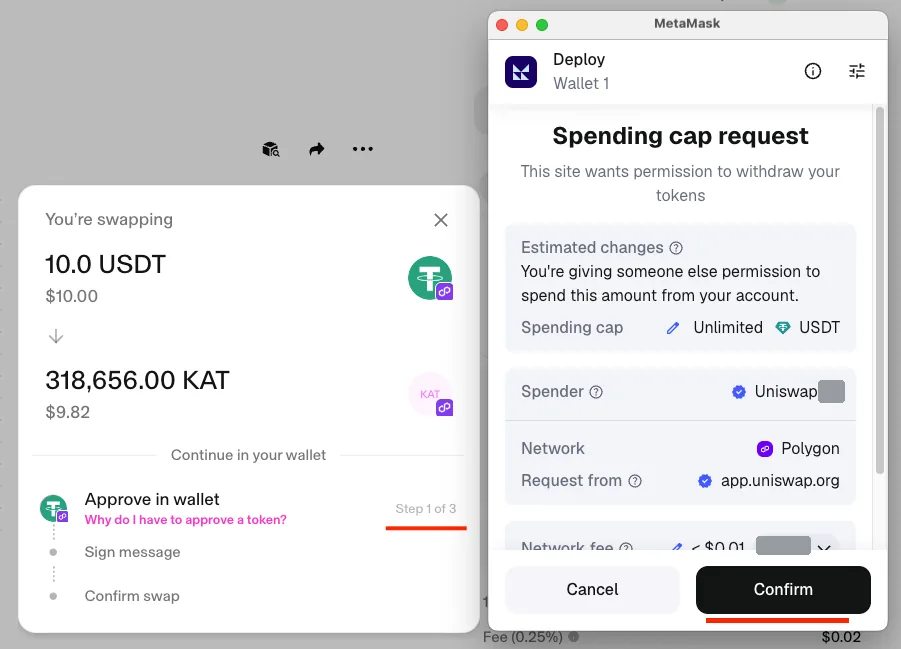
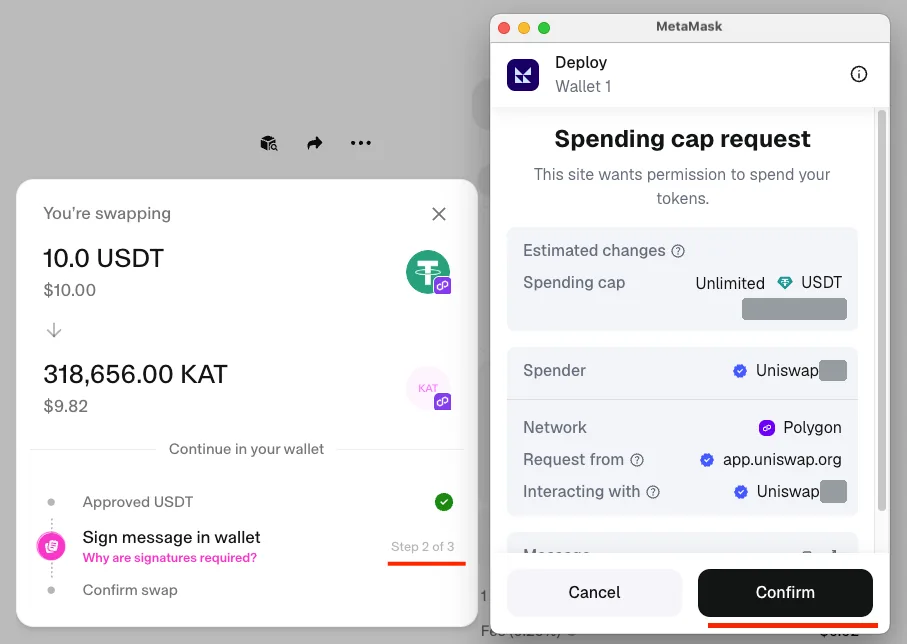
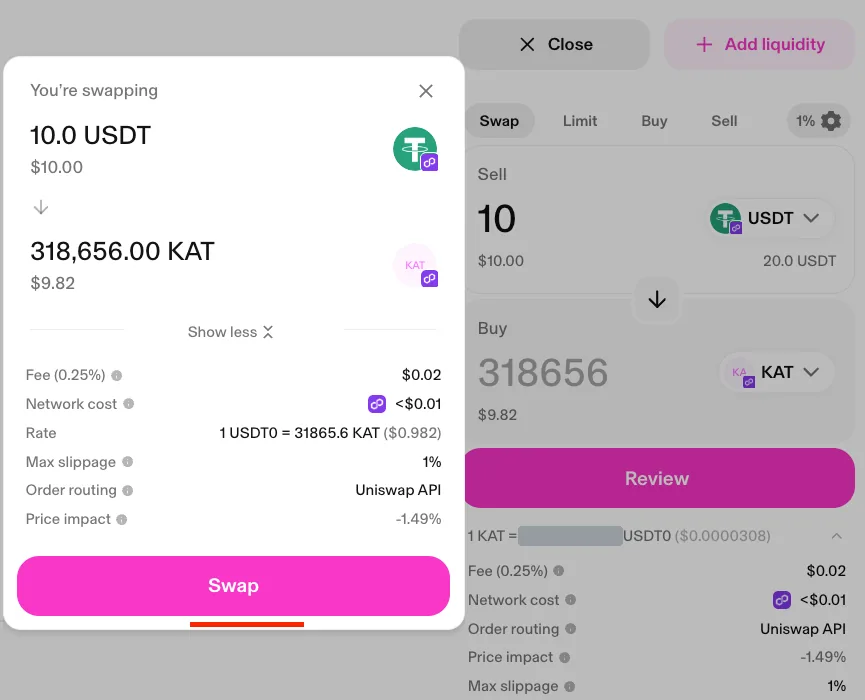
Step 7 - Swap
Click Swap**
Confirm in MetaMask
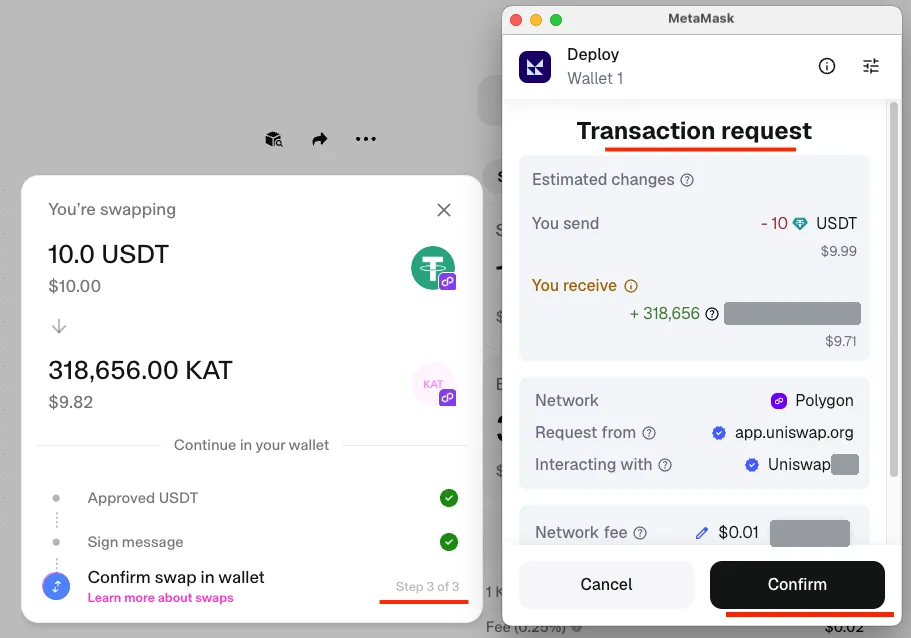
- Wait for the transaction to finish. It may take from several seconds to minutes.
If the transaction is pending (not failed), try one of these:
In MetaMask, choose Speed Up (higher gas).
Wait for the transaction is completed, or try again another time when Polygon network congestion is lower.
You will see a success message.
The token received will appear in your wallet (if not, follow the instruction here to import token to your wallet).
3. How to View the KAT POL / USDT Pool (via DEXTools)
(Optional - for those who want to explore and monitor the pool)
To view live information about the KAT POL / USDT DEX pool, we recommend using DEXTools, a widely used analytics site for DEX pools.
Link
What you can view on DEXTools
- Current price of KAT (USDT)
- Total liquidity in the pool
- 24h trading volume
- Recent trades (buys & sells)
- Price chart (short-term history)
- Pool address and basic parameters
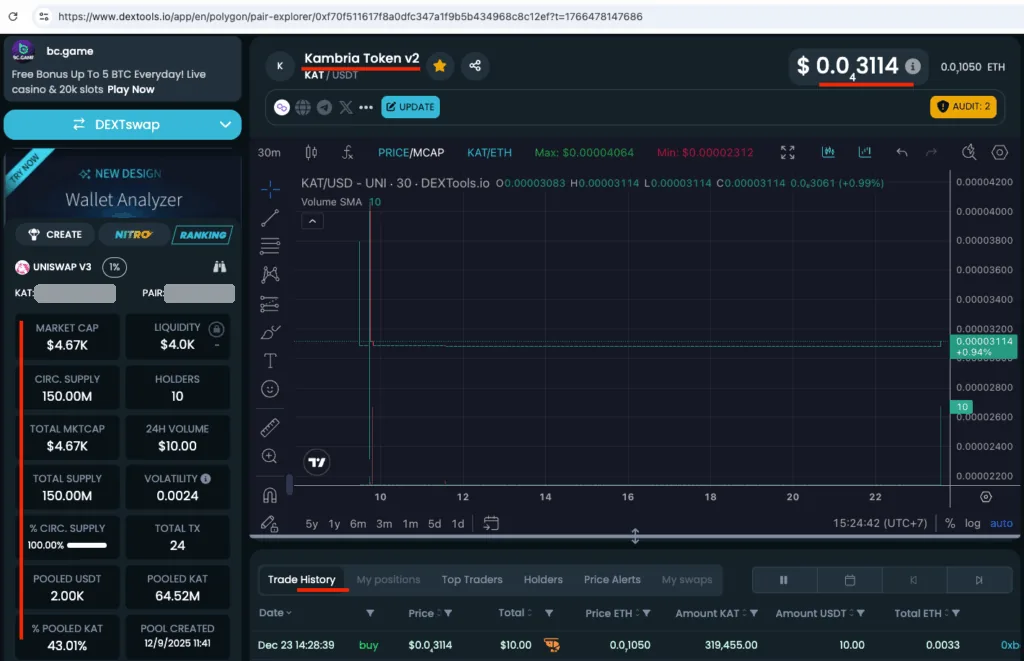
Important notes
- This page is view-only for community members.
- Community LP is not enabled yet in Phase 1.
- Liquidity management during Phase 1 is handled by the Kambria team to ensure price stability and protect early market integrity.
DEXTools is recommended over raw DEX interfaces because it provides:
- Clear charts
- Easier-to-read liquidity & volume data
- Better visibility into market behavior
4. Safety Checklist
Before every trade:
✔ Always use Kambria’s official link - Beware of fake tokens
Never search for KAT on random sites.
Only use official links and addresses from Kambria’s website or Discord.
✔ Always verify the KAT POL contract
The official KAT POL contract address is 0xBc6204C422d0a00f1FcB28D30A39e9D3dDC8bCA2
✔ Token approval safety
Set spending limits when possible.
Unlimited approvals are acceptable only on trusted, well-known sites (e.g. Uniswap, QuickSwap). Many DEXs request unlimited approval to reduce repeated gas costs for users.
Avoid unlimited approvals on unknown or unaudited dApps.
Periodically review and revoke unused approvals.
✔ Keep slippage reasonable
1% - 2% for normal trades.
Only increase if needed.